- Webhook or Long Polling for a bot: what it is in simple terms
- What is better for a sports bot: Webhook or Long Polling when working with the API
- Which sports events API to choose for the bot and what data can be obtained
- How to set up Webhook for a sports API: step-by-step instructions
- Setting up Long Polling for a bot using sports events API
- Speed and delays: comparison of Webhook and Long Polling for live sports results
- Security and limitations of Webhook and Long Polling in Russia when working with sports data
Webhook or Long Polling for a bot: what it is in simple terms
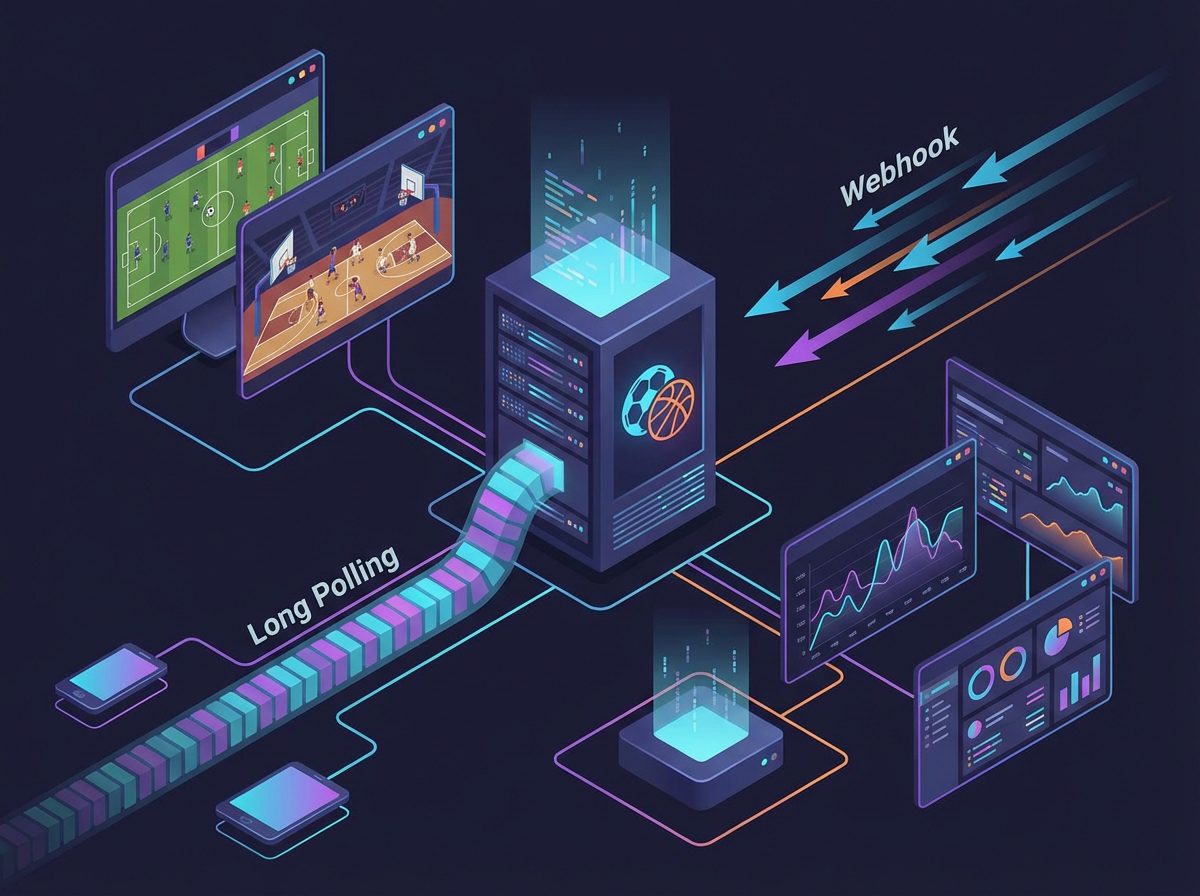
Webhook and Long Polling solve the same task — teaching the bot to receive new events, but they do it differently. Both approaches are based on regular HTTP, which you already use when accessing the sports events API. The difference is who takes the first step: your server or the bot platform.
When using Webhook, the platform on which the bot operates sends a request to your server when a new event occurs: a new user message, command, callback. You specify the URL in advance, and as soon as something happens, the platform makes a POST request to that address and transmits the data. Your code inside this handler then accesses external services, such as the sports events API, and forms a response to the user.
Long Polling works the other way around. Your server regularly initiates a request to the bot platform and asks: are there any new updates? If there are no updates, the platform keeps the connection open for a specified timeout and returns a response as soon as an event occurs, or ends the request after the time expires. After that, your server immediately sends the next request. Upon receiving an update, the bot can also call the sports API and return the user the latest score, statistics, or odds.
Key differences in approaches
- Connection initiator. Webhook — initiator platform, Long Polling — your server.
- Resources. Webhook saves traffic and load, as the request comes only on event. Long Polling requires constant outgoing requests.
- Infrastructure complexity. Webhook requires an internet-accessible HTTPS server. Long Polling can be run even from a local server or a cheap VPS without setting up callbacks.
When building a sports bot, both options work well together with an external API: the event processing logic is separated from the delivery mechanism. The main thing is to properly design the interaction: incoming event from the user, request to the sports API, business logic, and sending the response.
What is better for a sports bot: Webhook or Long Polling when working with the API
For a sports bot that constantly queries the API for live results, statistics, and odds, the choice between Webhook and Long Polling affects the response speed and infrastructure cost. Both approaches integrate equally well with external REST APIs, such as sports data services. api-sport.pro, Therefore, the main question is how exactly you receive updates from the bot platform.
Webhook is convenient when you have stable hosting with HTTPS support and you want to minimize delays. The platform immediately sends an update to your URL, and you immediately make a request to the sports API: you get the current match time, score, liveEvents, or oddsBase for current odds. This is the ideal option for bots with a large number of users, where every millisecond matters: live notifications about goals, red cards, changes in bookmaker lines.
Long Polling is often chosen at the start of a project or with a limited budget. You only need one constantly running process that cyclically polls the bot platform for new messages, and then makes a request to the sports API as needed. Yes, the delay of 1-2 seconds may be higher than with Webhook, but this is more than enough for most tasks: requesting the match status by team, displaying the game schedule for today, pre-match odds.
Example of processing flow with Webhook
A typical scenario for a sports bot:
- The user sends a command, such as «/live» or the name of the team.
- The platform sends a Webhook request to your server.
- Your handler parses the request and calls the sports events API for the required sport.
- The response is formatted into convenient text: score, minute of the match, key events, odds.
- The bot sends a message to the user.
[pHP]
// Conditional example of processing Webhook and request to sports API
$update = json_decode(file_get_contents(‘php://input’), true);
$command = $update[‘message’][‘text’] ?? »’;
if ($command === ‘/live_football’) {
$ch = curl_init(‘https://api.api-sport.ru/v2/football/matches?status=inprogress’);
curl_setopt($ch, CURLOPT_HTTPHEADER, [‘Authorization: YOUR_API_KEY’]);
curl_setopt($ch, CURLOPT_RETURNTRANSFER, true);
$apiResponse = curl_exec($ch);
curl_close($ch);
// Parsing and forming a response to the user
// sendMessage(…)
}
[/pHP]
The same algorithm can be easily implemented with Long Polling: the only difference is how the update object reaches you. $update. Therefore, when choosing between approaches, focus primarily on the infrastructure and the required response speed of the bot.
Which sports events API to choose for the bot and what data can be obtained
The quality of a sports bot directly depends on how complete and timely the data you receive from the external API is. The service by the sports events API api-sport.ru provides a unified REST interface for popular sports: football, hockey, basketball, tennis, table tennis, esports, and other disciplines, the list of which is constantly expanding.
Through a single format of endpoints, you receive match schedules, detailed information about tournaments and seasons, team rosters, advanced statistics, and live events. For example, the method /v2/{sportSlug}/matches returns a list of matches with filters by date, tournament, status, as well as key fields: currentMatchMinute (current minute of the match), matchStatistics (deep statistics on ball possession, shots, fouls, etc.), liveEvents (goals, cards, substitutions) and oddsBase with betting markets and odds.
This opens up a wide range of scenarios for a sports bot: from simple responses like «score and minute of the match» to advanced betting recommendations considering the dynamics of changing odds. Using the endpoint /v2/sport you can access available sports, then select a category (country or region) through /v2/{sportSlug}/categories, and then proceed to the tournament, season, and specific matches. All requests are secured with an API key that can be generated in the personal account app.api-sport.ru.
Example of a request for live football matches
const fetch = require('node-fetch');
async function getLiveFootballMatches() {
  const res = await fetch('https://api.api-sport.ru/v2/football/matches?status=inprogress', {
    headers: {
      'Authorization': process.env.SPORT_API_KEY
    }
  });
  if (!res.ok) {
    throw new Error('Ошибка запроса к спортивному API');
  }
  const data = await res.json();
  return data.matches.map(match => ({
    id: match.id,
    home: match.homeTeam.name,
    away: match.awayTeam.name,
    score: match.homeScore.current + ':' + match.awayScore.current,
    minute: match.currentMatchMinute
  }));
}
The resulting array can be conveniently used as a data source for bot responses: display a list of current matches, suggest the user choose a game, and then retrieve detailed statistics by ID through /v2/football/matches/{matchId} and show extended analytics right in the chat.
How to set up Webhook for a sports API: step-by-step instructions
Although the sports API acts as a data source on demand, it is most convenient to integrate it with the bot via a Webhook scheme on the bot platform side. In this case, your server receives an incoming event (user message or callback), and then makes a call to the REST endpoints of sports data. Let’s consider a basic setup scheme on a typical Node.js + Express stack.
Step 1. Prepare the server with HTTPS. To receive Webhook, your server must be accessible from the internet via a secure protocol. In practice, this is a VPS or cloud instance with Node.js installed and a configured TLS certificate (for example, via nginx and Let’s Encrypt). A URL of the form https://your-domain.com/bot-webhook you will specify later on the bot platform side.
Step 2. Implement the Webhook handler. Create an endpoint that accepts POST requests, parse the incoming data, and depending on the command text or button pressed, send a request to the sports API. Be sure to pass the API key in the Authorization header, as required by the documentation.
const express = require('express');
const fetch = require('node-fetch');
const app = express();
app.use(express.json());
app.post('/bot-webhook', async (req, res) => {
  const update = req.body;
  const text = update.message && update.message.text ? update.message.text.trim() : '';
  if (text === '/live_football') {
    const apiRes = await fetch('https://api.api-sport.ru/v2/football/matches?status=inprogress', {
      headers: { Authorization: process.env.SPORT_API_KEY }
    });
    const apiData = await apiRes.json();
    // Здесь формируем текст ответа пользователю на основе apiData
    // sendMessageToUser(update.message.chat.id, formattedText);
  }
  res.sendStatus(200);
});
app.listen(3000, () => console.log('Webhook сервер запущен'));
Step 3. Register the Webhook on the bot platform side. On most platforms, it is enough to execute a special method (for example, like setWebhook) once and pass the URL of your handler. After that, all new messages will automatically be sent to your server, and you will be able to enrich responses with fresh sports data. This approach scales well and allows building complex scenarios: from instant push notifications about goals to triggers for changes in odds.
Setting up Long Polling for a bot using sports events API
Long Polling remains a reliable and simple way to receive updates for the bot, especially if you are not ready to immediately set up HTTPS and a public domain. The bot server periodically queries the platform using the method for receiving updates and, upon receiving new messages, calls the sports API. This is convenient for prototypes, internal services, or small sports communities.
Technically, the Long Polling cycle looks like this: your process sends a request for updates with a timeout parameter (for example, 25–30 seconds). If during this time the user sends a message, the platform returns it immediately; if not, after the timeout, an empty result is returned. After processing the data, you immediately send the next request. This achieves an almost continuous connection without excessive repeated requests.
In conjunction with the sports API, the scheme does not change: within the handler of each update, you analyze the command and, if necessary, make a request to https://api.api-sport.ru. The advantage of Long Polling is the simplicity of deployment: just one background process and proper error handling are enough.
Example of a Long Polling cycle
import os
import time
import requests
BOT_TOKEN = os.environ.get('BOT_TOKEN')
SPORT_API_KEY = os.environ.get('SPORT_API_KEY')
BOT_API_URL = f'https://example-bot-platform.org/bot{BOT_TOKEN}'
offset = 0
while True:
    try:
        resp = requests.get(f'{BOT_API_URL}/getUpdates', params={'timeout': 25, 'offset': offset}, timeout=35)
        resp.raise_for_status()
        data = resp.json()
        for update in data.get('result', []):
            offset = update['update_id'] + 1
            message = update.get('message', {})
            text = (message.get('text') or '').strip()
            if text == '/today_football':
                api_resp = requests.get(
                    'https://api.api-sport.ru/v2/football/matches',
                    params={'date': '2025-09-03'},
                    headers={'Authorization': SPORT_API_KEY},
                    timeout=10,
                )
                matches = api_resp.json().get('matches', [])
                # Сформировать текст и отправить ответ методом sendMessage
    except Exception as e:
        print('Ошибка Long Polling:', e)
        time.sleep(3)
This approach allows you to easily control the load on the bot server and on the sports API: you can limit the number of requests, cache results of popular matches, and switch to Webhook at any time simply by changing the update delivery layer from the bot platform.
Speed and delays: comparison of Webhook and Long Polling for live sports results
For bots working with live results of sports events, two things are critical: how quickly the data appears in the sports API itself and how quickly your bot reacts to new user events. The first factor depends on the data provider, the second depends on the choice between Webhook and Long Polling and the quality of your infrastructure.
Webhook under typical conditions provides the minimum possible delay: as soon as the user sends a command, the platform immediately makes a POST request to your server. With proper server-side configuration and low network latency, the full cycle of «message – request to the sports API – response to the user» takes place in fractions of a second. This is especially important for bots that notify about goals, red cards, or sharp changes in odds based on field data. liveEvents и oddsBase in API responses.
With Long Polling, the delay is slightly higher, as your server polls the platform at a frequency depending on the request timeout and the speed of subsequent iterations of the cycle. In practice, with a timeout of 25-30 seconds and immediate initiation of the next request, the average delay between the event and its processing by the bots is within 1 second, which is also acceptable for most sports scenarios, except perhaps for high-frequency trading or betting strategies.
Optimizing delays when working with sports event APIs
- Filter only the necessary matches. Use parameters
status=inprogress,tournament_id,team_id, to avoid loading unnecessary data. - 1. Cache static information. 2. Tournaments, seasons, and team rosters change rarely, so they can be stored locally and requested from the API less frequently.
- 3. Separate live and pre-match data. 4. For live data, use more aggressive updates; for pre-match analytics, use less frequent requests.
// Пример оптимизированного запроса только лайв-матчей нужного турнира
async function getTournamentLiveMatches(tournamentIds) {
  const params = new URLSearchParams({
    status: 'inprogress',
    tournament_id: tournamentIds.join(','),
  });
  const res = await fetch(`https://api.api-sport.ru/v2/football/matches?${params.toString()}`, {
    headers: { Authorization: process.env.SPORT_API_KEY },
  });
  if (!res.ok) throw new Error('API error');
  const data = await res.json();
  return data.matches;
}
5. In the future, the emergence of WebSocket support in the sports API will further reduce overall latency: the bot will be able to receive updates about match events through a persistent connection, while Webhook or Long Polling will only be responsible for delivering messages from users. Even today, the right choice between these approaches and careful work with the API allow sports bots to be very fast and responsive.
Security and limitations of Webhook and Long Polling in Russia when working with sports data
6. When developing sports bots, it is important to consider not only the technical aspects of Webhook and Long Polling but also security issues and legal restrictions, especially if your product is aimed at users from Russia or uses data on betting odds. When working with sports event APIs, you generally deal with open sports data, but you are still required to protect tokens, API keys, and infrastructure.
7. In the case of Webhook, the main risk is unauthorized access to your handler. Several measures are mandatory: using HTTPS, authenticating requests (secret token in the header or parameter, request body signature), filtering IP addresses if the platform supports a fixed pool. Long Polling, on the other hand, is initiated only by your server, so the external attack surface is smaller, but it is necessary to strictly monitor the storage of tokens and the API key for the sports service in environment variables, not in the source code.
8. The legal landscape should also be considered separately. There are no specific restrictions on sports data in Russia, but if you are building a bot around betting lines or odds, it is mandatory to take into account gambling legislation and requirements for working with bookmakers. It is important to correctly inform users about the nature of the information provided and not to violate restrictions on gambling advertising. Technically, from the API perspective, you are simply working with fields in the service’s responses and not processing personal data, which simplifies compliance with the requirements of 152-FZ. oddsBase 9. Recommendations for safe work with the API.
Recommendations for Safe Work with API
- Store API keys and bot tokens only in environment variables or secret storage.
- Limit access rights to the server where the Webhook or Long Polling process runs.
- Log requests to the sports API without recording secret keys.
- Monitor request limits to avoid blocks due to exceeding quotas.
# Пример безопасной конфигурации переменных окружения
export SPORT_API_KEY='your_sport_api_key_here'
export BOT_TOKEN='your_bot_token_here'
Adhering to these recommendations allows the use of both Webhook and Long Polling without unnecessary risks, and using a verified sports API with key authorization significantly reduces the likelihood of leaks and failures. This creates a foundation for the stable operation of the bot and its further scaling to a growing audience.