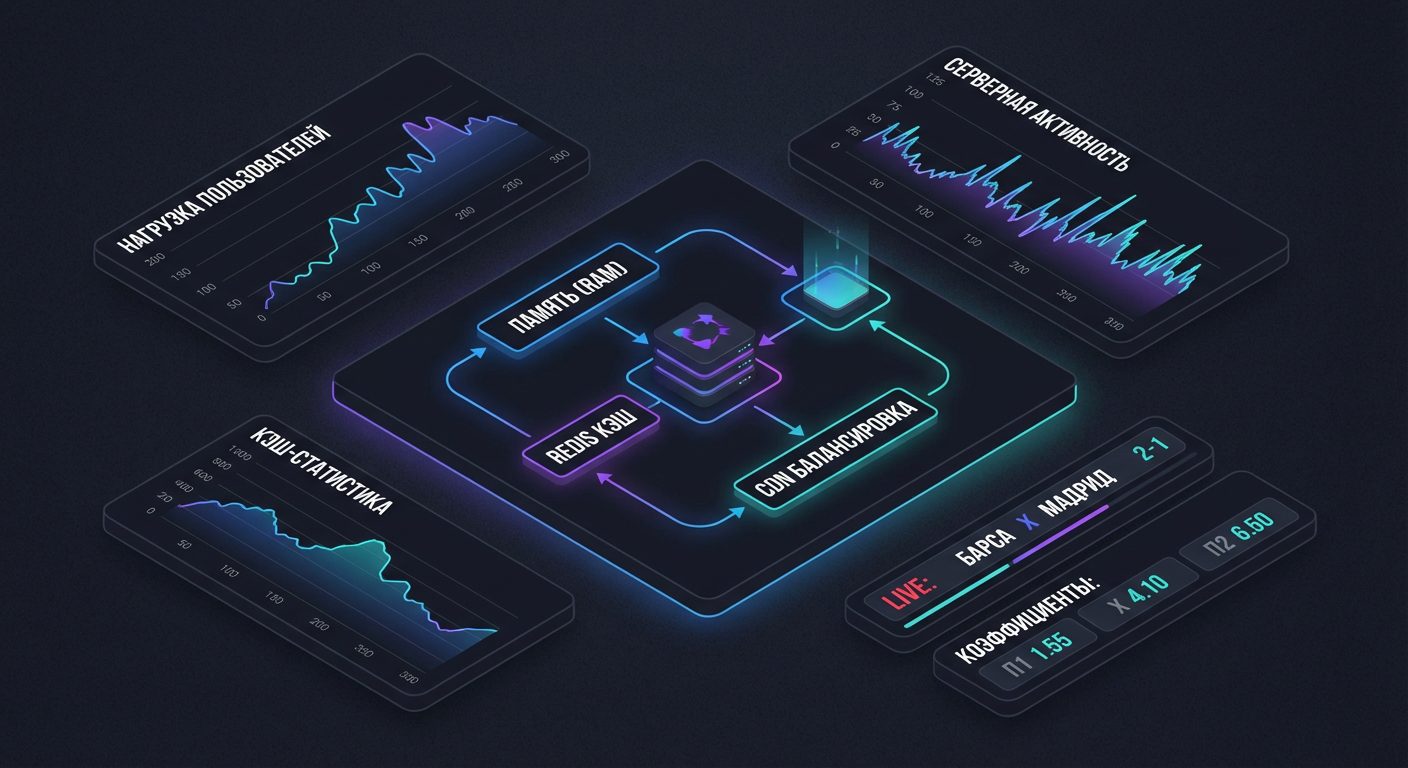
- Why caching is needed for fast sports widgets
- Which data from the sports API to cache and which to provide in real time
- Setting up HTTP caching for the sports API: Cache-Control and ETag headers
- Server-side caching of sports events in Redis and application memory
- Cache update strategies for live scoring, odds, and match statistics
- How to choose TTL and cache refresh frequency for different types of sports widgets
- Common caching mistakes for sports widgets and how to avoid them
Why caching is needed for fast sports widgets
Any sports widget operates under peak load conditions. At the start of a match, a goal, or a decisive point, the number of requests sharply increases. If each widget directly accesses the sports API without an intermediate storage layer, delays increase, and request limits are quickly exhausted. A well-thought-out caching system reduces the load on servers and speeds up data delivery to the user.
The platform api-sport.pro provides a unified API for sports events in football, hockey, basketball, tennis, table tennis, esports, and other sports. Through a single endpoint, the developer receives matches, lineups, statistics, live events, and bookmaker odds. If this data is sensibly cached on your backend or frontend application, the widgets work almost instantly even with large audiences.
Caching provides three key effects: stable response speed, limit savings, and predictable load. Instead of hundreds of identical requests to https://api.api-sport.ru/v2/{sportSlug} your service accesses the cache in memory or Redis. The sports events API remains the source of truth, while the cache is a fast local data layer that is updated according to specified rules.
Example: a simple cache in the results widget
Even in a browser widget, a small cache with a short lifespan can be maintained. Below is an example that requests a list of football matches for today via the API and stores the result in memory for 30 seconds.
const cache = new Map();
async function getTodayMatches() {
  const cacheKey = 'football:matches:today';
  const cached = cache.get(cacheKey);
  if (cached && cached.expiresAt > Date.now()) {
    return cached.data; // быстрый ответ из кэша
  }
  const resp = await fetch(
    'https://api.api-sport.ru/v2/football/matches',
    {
      headers: {
        Authorization: 'YOUR_API_KEY', // возьмите ключ в личном кабинете
      },
    }
  );
  const data = await resp.json();
  cache.set(cacheKey, {
    data,
    expiresAt: Date.now() + 30 * 1000,
  });
  return data;
}
The API key can be obtained at your personal account at api-sport.ru. This approach reduces the number of network requests and improves user interaction with the widget, while the data remains fresh enough for most scenarios.
Which data from the sports API to cache and which to provide in real time
The sports API provides different types of information. Some data rarely changes: tournament names, countries, teams, player lineups. Other data is constantly updated: live score, current minute of the match, liveEvents, bookmaker odds. Effective caching relies on separating these types of data.
Static and slowly changing entities are conveniently kept in a cache with a long lifespan. These are lists of sports (/v2/sport), categories and tournaments (/v2/{sportSlug}/categories, /v2/{sportSlug}/categories/{categoryId}), information about teams and players (/v2/{sportSlug}/teams, /v2/{sportSlug}/players). This data can be updated every few hours or on a schedule on the backend. Meanwhile, the dynamic fields of the match from the endpoints /v2/{sportSlug}/matches и /v2/{sportSlug}/matches/{matchId} — such as status, currentMatchMinute, liveEvents, matchStatistics, oddsBase — require careful and short TTL.
For live widgets (score, match progress, odds), it makes sense to deliver data almost in real time. For tournament tables, season calendars, and team cards, more aggressive caching can be applied. Below is an example strategy: cache reference data for hours, and live matches for seconds.
Example: different caching for reference data and matches
async function getCategoriesWithCache(redis, sportSlug) {
  const key = `categories:${sportSlug}`;
  const cached = await redis.get(key);
  if (cached) return JSON.parse(cached);
  const resp = await fetch(`https://api.api-sport.ru/v2/${sportSlug}/categories`, {
    headers: { Authorization: 'YOUR_API_KEY' },
  });
  const data = await resp.json();
  // категории меняются редко, даём большой TTL
  await redis.setEx(key, 6 * 60 * 60, JSON.stringify(data)); // 6 часов
  return data;
}
async function getLiveMatches(redis, sportSlug) {
  const key = `matches:live:${sportSlug}`;
  const cached = await redis.get(key);
  if (cached) return JSON.parse(cached);
  const url = `https://api.api-sport.ru/v2/${sportSlug}/matches?status=inprogress`;
  const resp = await fetch(url, {
    headers: { Authorization: 'YOUR_API_KEY' },
  });
  const data = await resp.json();
  // лайв‑матчи быстро устаревают, TTL 5–10 секунд
  await redis.setEx(key, 10, JSON.stringify(data));
  return data;
}
This differentiation allows for the full utilization of the rich dataset provided by the sports API while keeping key widgets as responsive as possible.
Setting up HTTP caching for the sports API: Cache-Control and ETag headers
In addition to internal caching on the server or in Redis, it is important to leverage HTTP caching capabilities. Proper headers Cache-Control и ETag allow browsers and CDNs to store responses and reuse them without re-requesting from your backend and to https://api.api-sport.ru. For sports widgets, this is especially useful for pages with tables, calendars, and pre-match analytics.
Usually, a custom backend gateway is built on top of the sports API. It requests data from Sports events API, caches it, and returns a prepared format to the frontend. This layer should be equipped with HTTP headers. For rarely changing resources, specify Cache-Control: public, max-age=3600. For dynamic but frequently requested resources — Cache-Control: public, max-age=5, stale-while-revalidate=30. The header ETag allows the client to send conditional requests and receive a 304 Not Modified instead of a full response body.
Below is an example of a simple Node.js proxy that adds HTTP caching to the response with the tournament table. It calculates the ETag based on the body hash and sets a reasonable max-age.
const crypto = require('crypto');
const express = require('express');
const app = express();
app.get('/api/standings/:sportSlug/:tournamentId', async (req, res) => {
  const { sportSlug, tournamentId } = req.params;
  const upstream = await fetch(
    `https://api.api-sport.ru/v2/${sportSlug}/tournament/${tournamentId}`,
    { headers: { Authorization: 'YOUR_API_KEY' } }
  );
  const data = await upstream.text();
  const etag = crypto.createHash('md5').update(data).digest('hex');
  if (req.headers['if-none-match'] === etag) {
    return res.status(304).end();
  }
  res.setHeader('Cache-Control', 'public, max-age=300, stale-while-revalidate=60');
  res.setHeader('ETag', etag);
  res.type('application/json').send(data);
});
This approach reduces the number of full responses that need to be generated on your server. Browsers and the CDN layer serve the already cached version, while the sports API is used only when there are actual data changes.
Server-side caching of sports events in Redis and application memory
For high-load sports projects, a single browser cache is not enough. A centralized layer is needed that serves all instances of the application and withstands load spikes. Redis is most often used in this role. It stores current data obtained from the sports API and provides fast access to it with a delay of milliseconds.
A good practice is a multi-level scheme: first checking the cache in the process memory, then Redis, and only after that – a request to https://api.api-sport.ru. The in-memory cache provides maximum speed but only lives within a single instance. Redis provides a shared pool of data for all servers. It is important to think through the key structure: for example, matches:football:today, match:football:14570728:details, odds:football:14570728. This will simplify invalidation and monitoring.
It is also worth setting different policies for data types. Season statistics from /v2/{sportSlug}/tournament/{tournamentId}/seasons can be cached in Redis for hours. Details of a specific match from /v2/{sportSlug}/matches/{matchId} – for seconds or tens of seconds. Integration with the bookmakers’ API and the field oddsBase requires even more aggressive updates, as the coefficients change most often.
Example of a multi-level cache with Redis
const Redis = require('ioredis');
const redis = new Redis();
const memoryCache = new Map();
async function getMatchDetails(sportSlug, matchId) {
  const key = `match:${sportSlug}:${matchId}:details`;
  const now = Date.now();
  const fromMemory = memoryCache.get(key);
  if (fromMemory && fromMemory.expiresAt > now) {
    return fromMemory.data;
  }
  const fromRedis = await redis.get(key);
  if (fromRedis) {
    const data = JSON.parse(fromRedis);
    memoryCache.set(key, { data, expiresAt: now + 5 * 1000 }); // 5 секунд в памяти
    return data;
  }
  const resp = await fetch(
    `https://api.api-sport.ru/v2/${sportSlug}/matches/${matchId}`,
    { headers: { Authorization: 'YOUR_API_KEY' } }
  );
  const data = await resp.json();
  await redis.setEx(key, 10, JSON.stringify(data)); // 10 секунд в Redis
  memoryCache.set(key, { data, expiresAt: now + 5 * 1000 });
  return data;
}
Such a layer between your application and the sports API makes widgets as fast as possible, and the infrastructure resilient to peak loads during top matches and tournaments.
Cache update strategies for live scoring, odds, and match statistics
When working with live data, not only storage is important, but also the cache update strategy. For sports widgets, three approaches are most commonly used: cache-aside (lazy loading), stale-while-revalidate (returning slightly outdated data with parallel updating) and push update via WebSocket. The platform api-sport.pro already provides detailed live events and will soon complement them with a WebSocket channel, which will simplify the implementation of the push model.
For live scoring and field currentMatchMinute a short TTL and cache-aside strategy are optimal. The widget requests data from your backend; if there is no cache or it is expired, the backend makes a request to /v2/{sportSlug}/matches?status=inprogress or to specific matches and records a new snapshot. For matchStatistics and the list liveEvents a slightly longer window may be possible, as this data does not affect the main score and is used for analytics and visualization.
The bookmakers’ odds from the field oddsBase require the most frequent updates. Here, a combination of short TTL and background updating works well. The user instantly receives data from the cache, while a request to the sports and bookmaker API runs in the background, updating the values. After the WebSocket channel is available, part of the logic can be switched to events: the cache is invalidated immediately after receiving an update from the channel.
Example: cache-aside with background updating
async function getLiveOdds(redis, sportSlug, matchId) {
  const key = `odds:${sportSlug}:${matchId}`;
  const cached = await redis.get(key);
  if (cached) {
    // отдаём данные сразу
    const data = JSON.parse(cached);
    // фоновое обновление без ожидания ответа пользователем
    refreshOdds(redis, sportSlug, matchId).catch(() => {});
    return data;
  }
  // кэша нет — заполняем его синхронно
  return await refreshOdds(redis, sportSlug, matchId);
}
async function refreshOdds(redis, sportSlug, matchId) {
  const resp = await fetch(
    `https://api.api-sport.ru/v2/${sportSlug}/matches/${matchId}`,
    { headers: { Authorization: 'YOUR_API_KEY' } }
  );
  const match = await resp.json();
  const odds = match.oddsBase || [];
  await redis.setEx(
    `odds:${sportSlug}:${matchId}`,
    5, // TTL 5 секунд для лайв‑коэффициентов
    JSON.stringify(odds)
  );
  return odds;
}
This strategy provides a balance between response speed, coefficient accuracy, and load on the sports and bookmaker API.
How to choose TTL and cache refresh frequency for different types of sports widgets
The choice of cache lifetime directly affects user experience and API limit consumption. Each type of sports widget requires its own TTL values. It is important to consider the sport, game speed, and audience expectations. Football and hockey have one update rhythm, basketball and tennis have another, and esports have a third.
For tournament calendar and season list widgets (/v2/{sportSlug}/tournament/{tournamentId}/seasons) a TTL of several hours or even a day is quite acceptable. This data changes rarely. For tournament tables that depend on completed matches, a TTL of 1–5 minutes is usually sufficient. Live scores from /v2/{sportSlug}/matches?status=inprogress should be updated every 5–15 seconds. Widgets with extended match statistics can use a TTL of 20–60 seconds, as the exact update time is not critical for perception.
Bookmaker odds and live markets require a special approach. Here, TTL often does not exceed 3–5 seconds, and ideally, updates occur on event. At the same time, you do not need to poll all matches in a row. You can filter by specific tournaments or teams through parameters tournament_id, team_id in the endpoint /v2/{sportSlug}/matches. This way, you save requests while maintaining the relevance of key widgets. Below is an example of a simplified function that selects TTL based on the widget type.
function getTtlForWidget(type) {
  switch (type) {
    case 'calendar':
      return 12 * 60 * 60; // 12 часов
    case 'standings':
      return 5 * 60; // 5 минут
    case 'liveScore':
      return 10; // 10 секунд
    case 'matchStats':
      return 30; // 30 секунд
    case 'oddsLive':
      return 5; // 5 секунд
    default:
      return 60; // значение по умолчанию
  }
}
The platform api-sport.ru is constantly expanding its API, adding new sports and features, including the planned WebSocket and AI modules. A flexible TTL and cache update system will allow you to adapt your sports widgets to new data types without changing the architecture from scratch.
Common caching mistakes for sports widgets and how to avoid them
When implementing caching in a sports project, the same mistakes are often made. They lead to outdated data, strange bugs, and excessive load on the sports and bookmaker API. The sooner you take these risks into account, the more stable the widgets based on sports event APIs will work.
The first common problem is too aggressive TTL for live data. If the cache lives for a minute or longer, then the score, current minute, and odds noticeably lag behind reality. The second mistake is caching everything under one key. For example, when matches from different tournaments, filtering parameters, or languages are mixed in one cache, leading to incorrect content for some users.
The third group of errors is related to invalidation. The cache is not cleared when the day changes, the season updates, or the match ends. As a result, old matches remain in the widgets, and new ones do not appear. Monitoring is also often forgotten. The lack of metrics on hit-rate, cache size, and response time complicates the search for bottlenecks. Below is a short list of recommendations that helps avoid typical problems.
- Use different keys for different request parameters to
https://api.api-sport.ru(sport, date, status, tournaments). - Set a short TTL for live widgets and a separate one for reference books and calendars.
- Clear the cache based on events: match completion, day change, season update.
- Do not cache personal data and user-specific responses.
- Implement basic metrics and logs for working with Redis and in-memory cache.
Example of safe cache key formation
function buildCacheKey(base, params) {
  const sorted = Object.keys(params)
    .sort()
    .map((k) => `${k}=${params[k]}`)
    .join('&');
  return `${base}?${sorted}`;
}
const key = buildCacheKey('matches:football', {
  date: '2025-09-03',
  status: 'inprogress',
  tournament_id: '25182,77142',
});
// matches:football?date=2025-09-03&status=inprogress&tournament_id=25182,77142
This approach prevents key collisions and ensures that cached data from the API platform api-sport.ru will correctly correspond to the parameters of the widget requests.