- What is a match statistics widget and what data does it display
- How to choose a sports events API for the match statistics widget
- How to get football match statistics via API in JavaScript
- Match data structure from the API and preparation for display in the widget
- Example JavaScript code for a match statistics widget with HTML and CSS
- How to update match statistics in real-time via API
- Integrating the match statistics widget into a website and common mistakes when working with the API
What is a match statistics widget and what data does it display
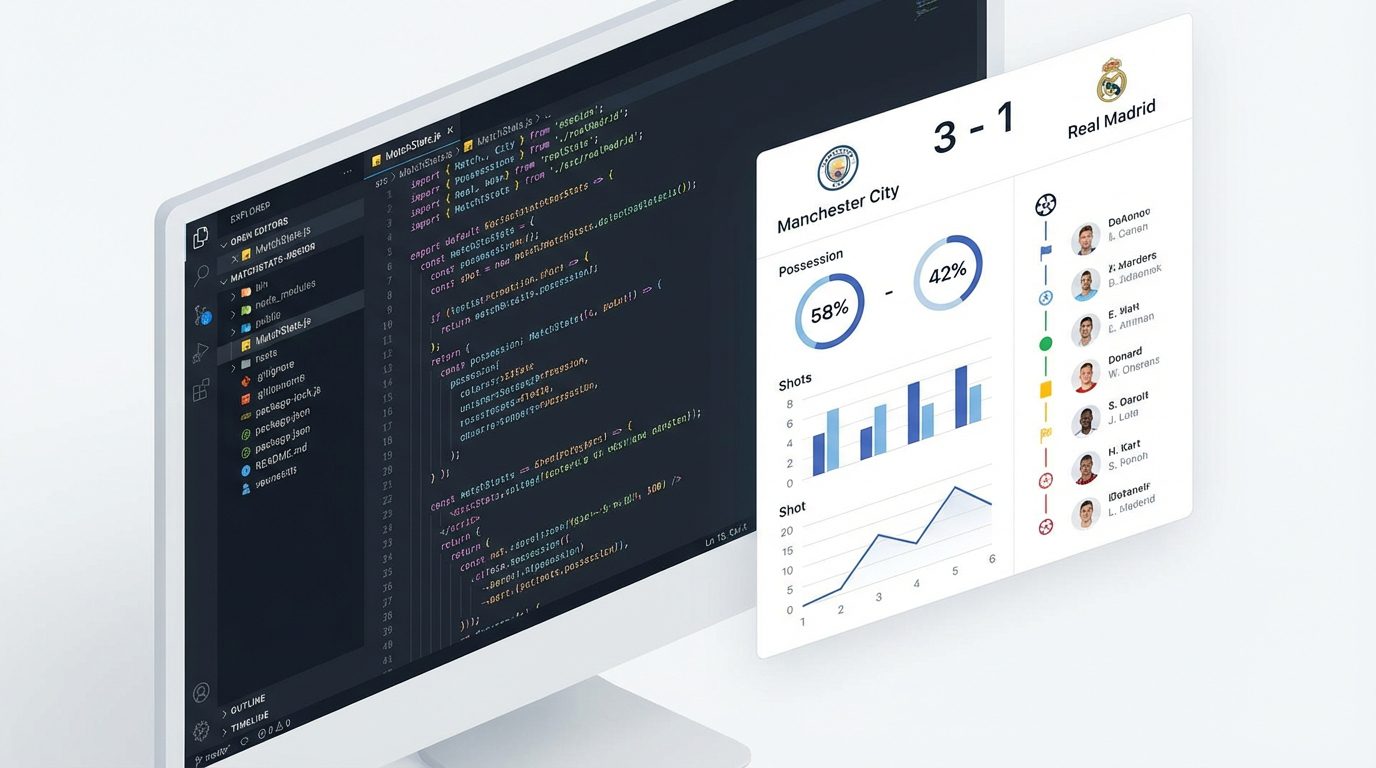
The match statistics widget in JavaScript is an interactive block that embeds into a website and displays key game metrics in a user-friendly visual format. This widget works on top of the sports events API, retrieves raw match data, and transforms it into understandable tables, graphs, possession indicators, and event timelines.
Based on the Sports Events API, you can display virtually any metric: score by halves, current minute of the match, team lineups, detailed statistics on shots, possession, duels, fouls, cards, and corners. Additionally, live events (goals, substitutions, cards, VAR) are available, as well as extended blocks like xG metrics, video reviews, and match highlights, if they are present in the source. For bookmakers and analytical services, it is also important that the same API can show odds on outcomes and totals, as well as the dynamics of line changes.
A well-implemented statistics widget becomes a point of audience retention: on sports media, it increases viewing depth, on a bookmaker’s site, it helps the player make a betting decision, and in a fan community or blog, it makes the content lively and «game-like.» By using a ready-made API like the service api-sport.pro, you can quickly obtain detailed data on football, basketball, hockey, tennis, table tennis, esports, and other sports and display it in a unified interface of the widget.
How to choose a sports events API for the match statistics widget
The first step to creating a stable widget is choosing a reliable data provider. It is important that the API covers the necessary sports and tournaments. In the Sports Events API, this is resolved through the endpoint /v2/sport, which returns a list of supported sports (football, hockey, basketball, tennis, table tennis, esports, and others). Then, through categories and tournaments, you select specific championships that will be available in your widget, using, for example, methods /v2/{sportSlug}/categories и /v2/{sportSlug}/categories/{categoryId} taking into account the field defaultTournaments.
The depth and structure of the statistics are equally important. A modern widget should be able to show not only the score but also advanced metrics. In the Sports Events API, the match object contains fields matchStatistics with breakdowns by periods and groups («Match overview,» «Shots,» «Duels,» etc.), as well as liveEvents for displaying the event timeline. For betting projects, the presence of the field oddsBase, which returns betting markets and odds (including live), as well as the history of their changes, is critical. All this allows building both simple and advanced widgets on the same API.
It is also worth evaluating the technical characteristics: availability stability, response speed, fair request limits, clear documentation, and the presence of code examples. The platform by the sports events API api-sport.ru is developer-oriented: it offers detailed OpenAPI descriptions, regularly expands the set of sports and fields, and will soon complement the REST interface with a WebSocket stream for real-time statistics updates and AI tools for analytics. This simplifies project scaling and adding new sports without completely rewriting the widget.
How to get football match statistics via API in JavaScript
To start working with the data, you need an API key. In the api-sport.ru ecosystem, it is issued in the developer’s personal account. After registration, go to your personal account, generate the key and use it in the header Authorization for all requests to the REST endpoints. Without a valid key, the server will return an authorization error and match data will be unavailable.
The basic scenario for obtaining football match statistics in JavaScript looks like this: you know the match ID (matchId) and the sport (football). Next, you send a GET request to the method /v2/football/matches/{matchId} on the API host. In response, you receive an object матч with all fields: status, score, teams, detailed matchStatistics, an array liveEvents, and if necessary, odds oddsBase. Below is an example of a simple request using получить in the browser.
const API_KEY = 'YOUR_API_KEY';
const MATCH_ID = 14570728; // пример ID матча
async function loadMatchStatistics() {
  const response = await fetch(
    `https://api.api-sport.ru/v2/football/matches/${MATCH_ID}`,
    {
      headers: {
        'Authorization': API_KEY
      }
    }
  );
  if (!response.ok) {
    throw new Error('Ошибка API: ' + response.status);
  }
  const match = await response.json();
  console.log('Команды:', match.homeTeam.name, '—', match.awayTeam.name);
  console.log('Текущий счет:', match.homeScore.current, ':', match.awayScore.current);
  console.log('Статистика матча:', match.matchStatistics);
}
loadMatchStatistics().catch(console.error);
In practice, you will call this code not in the console, but within the widget logic, passing the object матч to the render function. It is important to provide error handling (for example, match unavailability or network issues), as well as check the status of the field status (for example, inprogress, завершено, notstarted) and correctly display the game state in the interface.
Match data structure from the API and preparation for display in the widget
The endpoint response /v2/{sportSlug}/matches/{matchId} is built around the object матч. It contains basic fields (идентификатор, status, датаСобытия, startTimestamp), information about the tournament and season, data about the stadium (место), as well as nested team objects homeTeam и awayTeam with their names, logos, and, if necessary, rosters (lineup). The current and interim score is stored in objects домашнийСчет и выезднойСчет with fields текущий, период1, период2 and similar ones for other sports.
The key element for the statistics widget is an array matchStatistics. It is divided into periods (период: ALL, 1ST, 2ND etc.). Inside each period, there is an array группы, and within it — an array statisticsItems with specific metrics. Each element contains the name of the metric (имя), values for home and away teams (home, away), numerical values (домашняяСтоимость, выезднаяСтоимость) and the service key ключ, which makes it convenient to map the metric to the desired UI block. Below is a simplified fragment of the response:
// Фрагмент JSON-ответа матча
{
  id: 14570728,
  status: 'inprogress',
  currentMatchMinute: 30,
  homeTeam: { id: 195801, name: 'Montevideo Wanderers Reserve' },
  awayTeam: { id: 195800, name: 'Rival Team' },
  homeScore: { current: 1, period1: 1, period2: 0 },
  awayScore: { current: 0, period1: 0, period2: 0 },
  matchStatistics: [
    {
      period: 'ALL',
      groups: [
        {
          groupName: 'Match overview',
          statisticsItems: [
            {
              name: 'Ball possession',
              home: '54%',
              away: '46%',
              key: 'ballPossession'
            }
          ]
        }
      ]
    }
  ]
}
Before displaying in the widget, it makes sense to normalize the structure into a more convenient format. For example, you can build a dictionary by the keys of the statistics: { ballPossession: { home: 54, away: 46 }, totalShotsOnGoal: { ... } }. This will simplify the rendering of progress bars, charts, and comparison tables. If you plan to also show odds and video reviews, allocate fields from the match object in advance oddsBase и highlights, to load them into separate tabs of the widget or pop-up windows.
Example JavaScript code for a match statistics widget with HTML and CSS
Below is a simplified but working example of a mini-widget for football match statistics. It includes basic HTML markup, minimal CSS for styling, and JavaScript code that loads data from the Sport Events API and fills the widget block. In a real project, you will be able to expand it with additional metrics and adapt it to the desired design.
First, let’s define the widget container and several elements for displaying teams, scores, and a pair of key metrics.
<div id="match-widget">
  <div class="mw-header">
    <span id="mw-home-team"></span>
    <span id="mw-score"></span>
    <span id="mw-away-team"></span>
  </div>
  <div class="mw-meta">
    <span id="mw-status"></span>
    <span id="mw-minute"></span>
  </div>
  <div class="mw-stats">
    <div class="mw-stat-row">
      <span>Владение мячом</span>
      <span id="mw-possession-home"></span>
      <span id="mw-possession-away"></span>
    </div>
    <div class="mw-stat-row">
      <span>Удары по воротам</span>
      <span id="mw-shots-home"></span>
      <span id="mw-shots-away"></span>
    </div>
  </div>
</div>
#match-widget {
  max-width: 420px;
  border: 1px solid #e0e0e0;
  border-radius: 8px;
  padding: 12px;
  font-family: system-ui, -apple-system, BlinkMacSystemFont, 'Segoe UI', sans-serif;
}
.mw-header {
  display: flex;
  justify-content: space-between;
  font-weight: 600;
  margin-bottom: 8px;
}
.mw-meta {
  display: flex;
  justify-content: space-between;
  font-size: 12px;
  color: #777;
  margin-bottom: 8px;
}
.mw-stats {
  border-top: 1px solid #f0f0f0;
  padding-top: 8px;
}
.mw-stat-row {
  display: flex;
  justify-content: space-between;
  font-size: 13px;
  margin: 4px 0;
}
.mw-stat-row span:first-child {
  flex: 1 1 auto;
}
.mw-stat-row span:nth-child(2),
.mw-stat-row span:nth-child(3) {
  width: 40px;
  text-align: center;
}
const API_KEY = 'YOUR_API_KEY';
const MATCH_ID = 14570728;
async function fetchMatch() {
  const res = await fetch(
    `https://api.api-sport.ru/v2/football/matches/${MATCH_ID}`,
    { headers: { 'Authorization': API_KEY } }
  );
  if (!res.ok) throw new Error('Ошибка API: ' + res.status);
  return res.json();
}
function extractStat(match, key) {
  const allPeriod = match.matchStatistics?.find(s => s.period === 'ALL');
  if (!allPeriod) return null;
  for (const group of allPeriod.groups) {
    const item = group.statisticsItems.find(i => i.key === key);
    if (item) return item;
  }
  return null;
}
async function renderMatchWidget() {
  const match = await fetchMatch();
  document.getElementById('mw-home-team').textContent = match.homeTeam.name;
  document.getElementById('mw-away-team').textContent = match.awayTeam.name;
  document.getElementById('mw-score').textContent =
    `${match.homeScore.current} : ${match.awayScore.current}`;
  document.getElementById('mw-status').textContent = match.status;
  document.getElementById('mw-minute').textContent =
    match.currentMatchMinute ? match.currentMatchMinute + "'" : '';
  const possession = extractStat(match, 'ballPossession');
  const shots = extractStat(match, 'totalShotsOnGoal');
  if (possession) {
    document.getElementById('mw-possession-home').textContent = possession.home;
    document.getElementById('mw-possession-away').textContent = possession.away;
  }
  if (shots) {
    document.getElementById('mw-shots-home').textContent = shots.home;
    document.getElementById('mw-shots-away').textContent = shots.away;
  }
}
renderMatchWidget().catch(console.error);
This example demonstrates a basic approach to integration. In production, you will add loading state handling (skeleton screens), localization of statuses, as well as support for different sports, using sportSlug and a unified widget interface built on top of the universal fields of the Sport Events API.
How to update match statistics in real-time via API
For live sports, it is important for the user to see changes almost instantly. The simplest way to implement this in JavaScript is periodic polling of the API. You set an interval (for example, every 15–30 seconds) that re-calls the endpoint /v2/football/matches/{matchId}, compares the new data with what has already been rendered, and updates only the changed interface elements: score, current minute, key metrics from matchStatistics and the list liveEvents.
When using the platform api-sport.pro this approach already provides smooth statistics updates. Soon, the service will complement the REST interface with WebSocket channels, which will allow you to abandon frequent polling and receive events via subscription in push mode. Your widget will be able to listen to a specific match or tournament and instantly react to goals, cards, substitutions, and changes in odds, without creating unnecessary load on the API and frontend.
const API_KEY = 'YOUR_API_KEY';
const MATCH_ID = 14570728;
let lastHomeScore = null;
let lastAwayScore = null;
async function updateMatchLoop() {
  try {
    const res = await fetch(
      `https://api.api-sport.ru/v2/football/matches/${MATCH_ID}`,
      { headers: { 'Authorization': API_KEY } }
    );
    if (!res.ok) throw new Error('Ошибка API: ' + res.status);
    const match = await res.json();
    if (match.homeScore.current !== lastHomeScore ||
        match.awayScore.current !== lastAwayScore) {
      lastHomeScore = match.homeScore.current;
      lastAwayScore = match.awayScore.current;
      // Обновляем счет и анимацию в виджете
      document.getElementById('mw-score').textContent =
        `${lastHomeScore} : ${lastAwayScore}`;
    }
    if (match.currentMatchMinute) {
      document.getElementById('mw-minute').textContent =
        match.currentMatchMinute + "'";
    }
    // Аналогично можно обновлять matchStatistics и liveEvents
  } catch (e) {
    console.error(e);
  }
}
// Запускаем обновление каждые 20 секунд (значение подберите под свои лимиты)
setInterval(updateMatchLoop, 20000);
updateMatchLoop();
It is important to maintain a balance between relevance and load. Consider rate limits and caching on the API side, do not set an interval of 1–2 seconds without extreme necessity. With the emergence of WebSocket from api-sport.ru, you will be able to transition the widget to an architecture with event subscription, leaving REST for the initial data loading and backup scenarios.
Integrating the match statistics widget into a website and common mistakes when working with the API
A ready-made widget in JavaScript can be embedded in almost any website: a static landing page, a CMS like WordPress, a news portal, or a bookmaker showcase. The basic integration option is to place the HTML container of the widget in the desired location of the template and connect the JS file with the logic for loading and rendering statistics. If you have multiple pages with matches, you can pass matchId in the data attribute of the container or through URL parameters, so that the same script serves multiple widgets.
A common mistake is using the API key directly in client-side code without any proxy. For public and high-load projects, it is better to move all requests to the Sport Events API to the backend (Node.js, PHP, Python) and only serve prepared data to the frontend from the server. This protects the key from leakage and allows centralized management of caching, limits, and logging. Another typical problem is ignoring the match status and time zones: the widget continues to update after the final whistle or shows incorrect match start times for users from other regions.
Developers also sometimes do not take into account the structural features matchStatistics and rigidly tie themselves to the textual names of groups and metrics. It is recommended to rely on stable keys (ключ у statisticsItems) and design the interface so that when new indicators appear in the API, they can be easily added without reworking the logic. Upon completing the integration, test the widget’s behavior in different match states (not started, halftime, finished, postponed), on mobile devices, and during temporary unavailability of the API. By using Sport Events data from api-sport.ru and a neat architecture, you will get a stable, fast, and scalable statistics widget that can be expanded to new sports and tournaments.