- What is a sports events API and what data can be obtained
- How to choose a sports events API for a bot: criteria and comparison
- How to get an API key and set up requests for sports events
- How to create a bot with subscriptions to teams and leagues via a sports events API
- How to set up notifications about matches and results through a bot based on the API
- Limits, costs, and restrictions of the sports events API for a subscription bot
What is a sports events API and what data can be obtained
A sports events API is a programming interface that allows your bot to receive up-to-date data about matches, teams, and tournaments in a machine-readable format (usually JSON). Through unified endpoints, you can retrieve game schedules, live results, statistics, lineups, match events, and even betting market odds. This allows the bot to be «connected» to a global sports feed and automatically respond to real-time changes.
Service by the sports events API api-sport.ru covers football, hockey, basketball, tennis, table tennis, esports, and other disciplines that are regularly added. For each sport, categories (countries and leagues), tournaments and their seasons, teams, players, as well as matches with extended statistics are available: field currentMatchMinute, an array liveEvents with goals, cards, and substitutions, block matchStatistics and highly detailed data on the tournament. Additionally, you can obtain an array oddsBase with bookmaker coefficients and highlights — links to video reviews.
For a bot with subscriptions, such data is especially valuable. You can store only the IDs of teams and tournaments in the database, while dynamically pulling all the «heavy» information on schedules, scores, and statistics via API. In the near future, the platform plans to launch WebSocket streaming and AI tools, which will allow for even more «smart» notifications (for example, about dangerous moments or changes in the probability of outcomes during the match) without manual analysis.
Example of obtaining a list of today’s football matches
const apiKey = 'ВАШ_API_КЛЮЧ';
async function getTodayFootballMatches() {
  const url = 'https://api.api-sport.ru/v2/football/matches';
  const res = await fetch(url, {
    headers: {
      Authorization: apiKey
    }
  });
  const data = await res.json();
  console.log('Всего матчей:', data.totalMatches);
  console.log('Пример матча:', data.matches[0]);
}
getTodayFootballMatches().catch(console.error);
How to choose a sports events API for a bot: criteria and comparison
When choosing a data provider for a subscription bot, it is important to look not only at the number of sports but also at the depth and structure of the information. The API should return well-normalized entities: sports, categories, tournaments, seasons, teams, players, and matches with uniform field formats. An important criterion is the availability of convenient filters, such as team_id, tournament_id, status, дата, as well as the ability to pass lists of IDs separated by commas. This allows you to build requests strictly for your users’ subscriptions without overloading the system with unnecessary traffic.
It is also important to consider the timeliness of data updates and the stability of operation. For live events, latency and the accuracy of fields are critical: the current minute of the match, live events, scores by halves, and the final result. The more frequently the feed is updated and the better the changes are documented (changelog, API versions), the easier it is to keep the bot operational. Predictable limits on requests, clear pricing, and the availability of a trial period are also important so that you can run live subscription scenarios before the product release.
An additional advantage is the presence of vendor functionality on top of the «raw» data. In the case of api-sport.ru, this includes, for example, bookmaker coefficients in the block oddsBase, recommended tournaments through defaultTournaments, as well as planned WebSocket and AI modules. Such a stack allows for the implementation of not only basic notifications like «match started / ended» but also advanced mechanics: signals for changes in coefficients, alerts for specific match events, and personalized event selections for each user.
How to get an API key and set up requests for sports events
In order for the bot to access the endpoints of sports events, a personal access key must be obtained. To do this, it is enough to register at your personal account at api-sport.ru, choose a suitable tariff, and generate an API key. The key is a string that is passed in the HTTP header Authorization with each request. It is recommended to store it only on the server side (in environment variables or in a secure storage), not embedding it directly in the frontend code or client bot.
A basic request to the API looks like a regular HTTP GET with the sport type specified in the path (sportSlug) and the necessary filtering parameters. For example, to get matches of a football team by its ID, you use the endpoint /v2/football/matches with the parameter team_id. In the response, you will receive an object with the total number of matches and an array of detailed entities матч, where the status, date, score, statistics, live events, and odds are already present.
In practice, requests to the sports events API are conveniently encapsulated in a separate module or service class. This way, you can centrally handle errors (for example, unauthorized access or incorrect parameters), implement caching, and log the load. This is especially important for a subscription bot, where one logical operation (sending notifications to all subscribers of the team) can generate dozens or hundreds of API calls.
Example of a request for team matches by ID (JavaScript)
const apiKey = 'ВАШ_API_КЛЮЧ';
async function getTeamMatches(teamId) {
  const url = `https://api.api-sport.ru/v2/football/matches?team_id=${teamId}`;
  const res = await fetch(url, {
    headers: {
      Authorization: apiKey
    }
  });
  if (!res.ok) {
    throw new Error(`Ошибка API: ${res.status}`);
  }
  const data = await res.json();
  return data.matches;
}
How to create a bot with subscriptions to teams and leagues via a sports events API
The architecture of the subscription bot is built around the relationship «user – subscription object – data source.» At the interface level, you allow the user to select the teams or tournaments (leagues) of interest, and at the backend level, you save their IDs from the API in the database. For example, for football, this could be the team ID from the entity Команда and tournament ID from the entity Турнир. During subsequent event processing, the bot simply collects all unique IDs from subscriptions and forms requests to them through the endpoint /v2/{sportSlug}/matches.
To subscribe to teams, you can use the filter team_id, and for leagues — tournament_id (a list of IDs separated by commas is supported). This approach allows you to receive matches for several objects in one request, significantly reducing the load and speeding up the sending of notifications. The bot’s logic boils down to regularly polling the API: you take all subscriptions, form requests by sports types, and then distribute the received matches to users who are subscribed to the corresponding teams or tournaments.
It is important to provide for the subscription type in the data model: «team», «tournament», and possibly later «player» or a separate match event. On the bot’s side, only the combination of type and ID is stored, while all other information (team name, emblem, current league, round) is dynamically pulled from the API. This makes the system flexible: when the tournament structure changes or a team moves to another division, you won’t have to migrate your data — just continue using the same identifiers.
Example of fetching matches based on subscriptions to teams and tournaments
const apiKey = 'ВАШ_API_КЛЮЧ';
async function getMatchesBySubscriptions(teamIds, tournamentIds) {
  const params = new URLSearchParams();
  if (teamIds.length) {
    // для одной команды можно вызывать запрос отдельно,
    // здесь для простоты показываем объединение
    params.set('team_id', teamIds[0]);
  }
  if (tournamentIds.length) {
    params.set('tournament_id', tournamentIds.join(','));
  }
  // Можно добавить фильтр по статусу, например, "notstarted" или "inprogress"
  const url = `https://api.api-sport.ru/v2/football/matches?${params.toString()}`;
  const res = await fetch(url, {
    headers: { Authorization: apiKey }
  });
  const data = await res.json();
  return data.matches;
}
How to set up notifications about matches and results through a bot based on the API
After the subscription structure is implemented, the next step is to set up notification triggers. In practice, periodic polling of the API on a schedule (cron) is used, or, in the future, WebSocket connections, which are planned in the infrastructure soon. api-sport.pro. For the survey, you can request matches with the desired status: notstarted for upcoming games, inprogress for live notifications, and завершено for final results. The endpoint /v2/{sportSlug}/matches allows you to combine filters by date, tournaments, teams, and status.
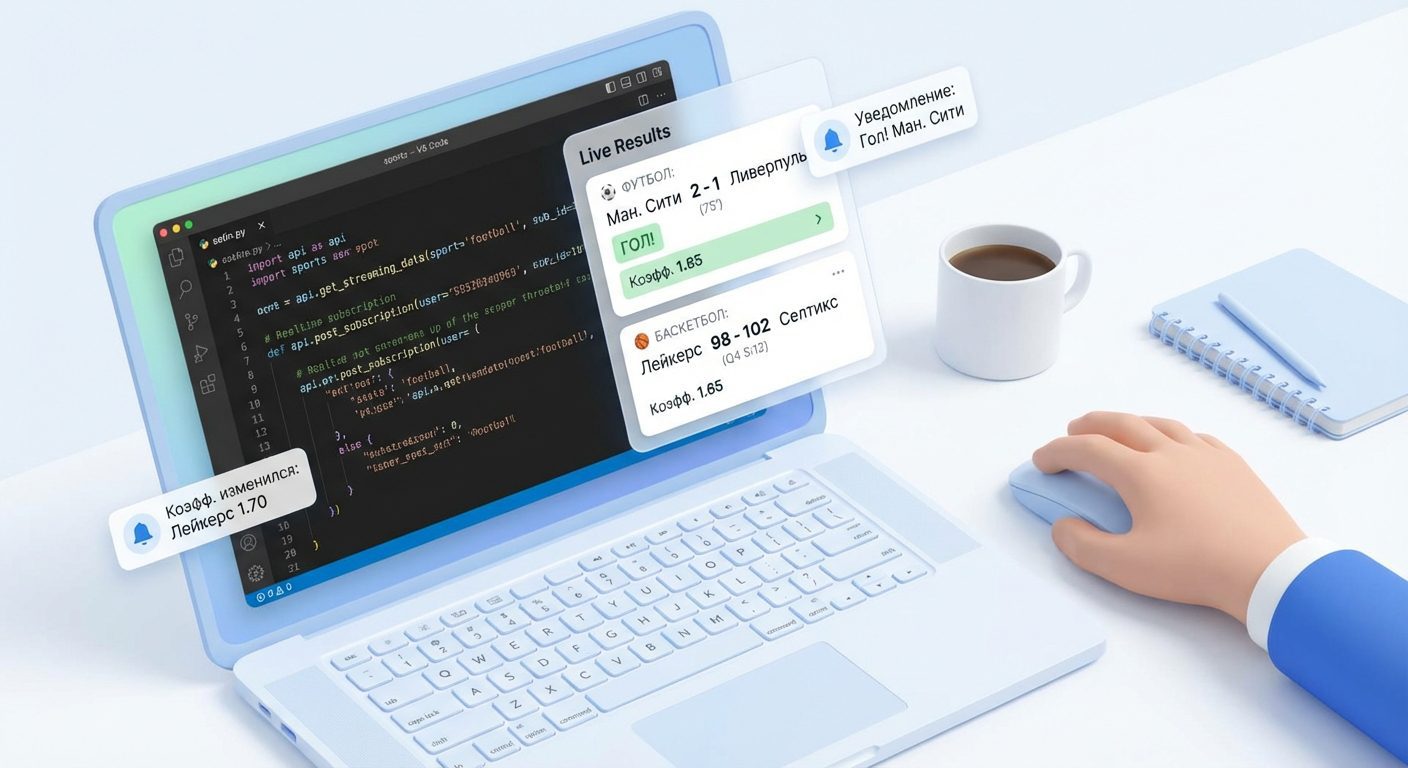
A typical scenario: according to the schedule, you request matches for the next hour and send subscribers a reminder «the match will start soon.» Then, with a shorter interval, you poll matches with the status inprogress and track score changes, the current minute, and liveEvents. With each new event (goal, red card, penalty), you form the notification text and deliver it to users subscribed to the corresponding team or tournament. After the match is completed, by status завершено you can send out the final result with key statistics.
If your bot is focused on betting, you can additionally analyze the array. oddsBase for selected matches. This opens up the possibility of sending signals about changes in odds, market closures, or the appearance of new lines. In the future, the WebSocket approach will allow for the abandonment of frequent API polling and receiving events directly as they occur, while AI modules will help automatically highlight «important» moments and create more personalized notifications for each user.
Example of checking live matches and sending notifications
const apiKey = 'ВАШ_API_КЛЮЧ';
async function getLiveMatchesForTeam(teamId) {
  const url = `https://api.api-sport.ru/v2/football/matches?team_id=${teamId}&status=inprogress`;
  const res = await fetch(url, {
    headers: { Authorization: apiKey }
  });
  const data = await res.json();
  return data.matches;
}
async function processLiveNotifications(subscriptions) {
  for (const sub of subscriptions) {
    const matches = await getLiveMatchesForTeam(sub.teamId);
    matches.forEach(match => {
      const score = `${match.homeTeam.name} ${match.homeScore.current} : ${match.awayScore.current} ${match.awayTeam.name}`;
      // Здесь вызываем отправку сообщения в выбранный мессенджер
      console.log(`Отправляем пользователю ${sub.userId}: ${score}`);
    });
  }
}
Limits, costs, and restrictions of the sports events API for a subscription bot
When designing a bot with subscriptions, it is important to consider the limits and costs of using the API in advance. Typically, rates depend on the number of requests per day or month, the set of supported sports, and access to additional data (live statistics, bookmaker odds, video reviews). You will find specific conditions and current limitations for the Sport Events API on the website api-sport.pro and in the personal account, so it makes sense to compare them with the expected load: how many active subscribers you will have, how often you plan to update live data, and for how many sports.
To avoid hitting the limits too quickly, you should optimize the request scheme. First, combine several IDs into one call where supported (for example, tournament_id as a comma-separated list). Second, cache relatively constant data: there is no need to request the list of sports, categories, tournaments, and seasons at every bot launch. Third, differentiate the polling frequency: live matches can be requested more frequently, while history and results from previous days should be requested much less often.
Another important topic is error handling and limit exceedance. A properly configured bot should be able to recognize server responses about unauthorized access or incorrect parameters and not blindly attempt to repeat the same requests. For scenarios with high load, the planned appearance of the WebSocket interface is especially useful: by receiving event updates through subscriptions for specific matches or tournaments, you can significantly reduce the number of HTTP calls and, accordingly, lower costs and system load.