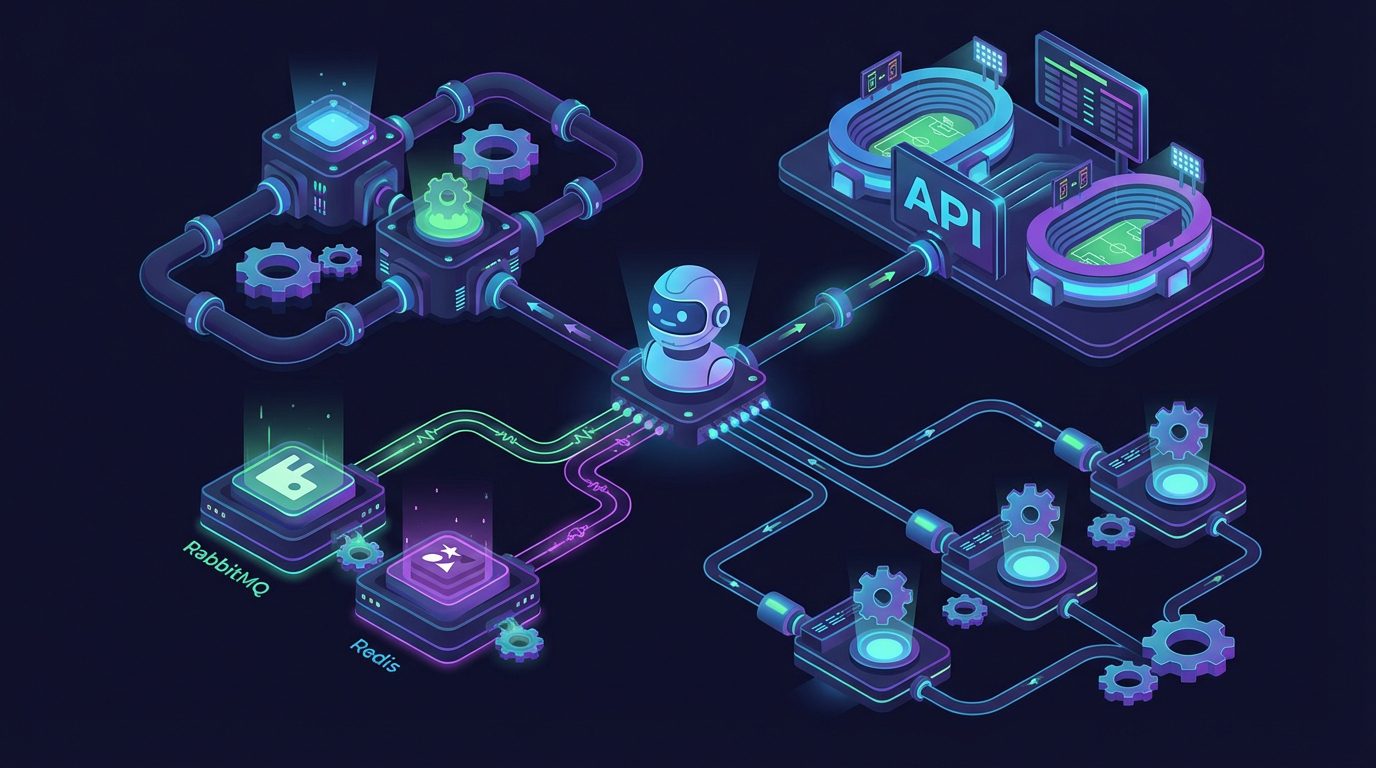
- What are RabbitMQ and Redis queues for a bot and why are they needed when the load increases
- When is it time for a Telegram bot to switch to RabbitMQ or Redis queues: main signs
- Architecture of a bot with RabbitMQ/Redis queue and integration with sports events API
- How to queue requests to the sports events API and not exceed request limits
- What can be obtained from the sports events API and how to process data through queues
- Examples of implementing RabbitMQ and Redis queues for scaling a sports bot via API
What are RabbitMQ and Redis queues for a bot and why are they needed when the load increases
When a Telegram bot starts working with real users and receives hundreds of requests per minute, the simple scheme «received update — immediately called external API — responded» ceases to be stable. Any network delay, exceeding request limits, or a short peak load leads to timeouts and crashes. Message queues (RabbitMQ, Redis) solve this problem: they add a layer between the bot and the handlers, turning the system from a monolith into a managed pipeline.
A queue is a structured buffer where one service puts tasks (producer) and another processes them sequentially (consumer). RabbitMQ — a full-featured message broker with support for the AMQP protocol, acknowledgments, routing, and durable message storage. Redis is originally a high-performance in-memory storage, but its data structures (lists, streams) are often used as a lightweight task queue. For a sports bot that accesses API de eventos deportivos, this means the ability to safely handle large volumes of requests for matches, tournaments, and odds without blocking the main thread of the bot.
As the load increases, the queue helps to smooth out peaks: user updates are quickly written to the broker, while workers gradually, with controlled request rates, access endpoints like /v2/fútbol/partidos or /v2/basketball/matches/{matchId}. If you need to receive extended data — live events, statistics, odds oddsBase, — you simply add new types of tasks to the queue without rewriting the bot’s architecture. In the future, the same infrastructure will be used for working with WebSocket streams and AI modules prepared by the api-sport.ru platform.
Example of adding a match update task to the Redis queue
import json
import redis
r = redis.Redis(host="localhost", port=6379, db=0)
# Описание задачи на обновление данных матча из API
job = {
    "sportSlug": "football",
    "type": "update_match",
    "matchId": 14570728
}
# Кладем задачу в список как в очередь FIFO
r.lpush("api_sport_jobs", json.dumps(job))
print("Задача на обновление матча отправлена в очередь")
Your bot’s workers take tasks from the queue api_sport_jobs, they turn to https://api.api-sport.ru/v2/{sportSlug}/matches/{matchId}, update the cache and only then generate a response to the user. The API key for authorizing requests can be conveniently obtained at la cuenta personal. and stored in environment variables to avoid exposing it in the code.
When is it time for a Telegram bot to switch to RabbitMQ or Redis queues: main signs
At the start of the project, the bot can manage with simple processing of updates in a single thread: a request to the API, message formation, response to the user. However, as the audience and the number of sports (football, hockey, basketball, tennis, esports, and others) grow, the load increases non-linearly. You start tracking dozens of tournaments and hundreds of matches simultaneously, including live statistics, events, and bookmaker odds. At this point, the first alarming symptom appears — noticeable delays in the bot’s response and user complaints about «freezes.».
The second clear sign is systematic errors from external services: exceeding request limits, HTTP codes 429 or 5xx, unstable response times. For example, if you ask for the list of live matches every few seconds via /v2/fútbol/partidos?estado=enprogreso, while dozens of users are simultaneously requesting details of specific games, the load on the API increases. Without a queue, you cannot flexibly distribute requests and limit their frequency, so during peaks, the Telegram API and external services start responding with errors, and the bot goes into restarts.
The third indicator is the complication of functionality. As soon as you add goal notifications, notifications about odds changes oddsBase, filtering by tournaments, and personalized match selections to the bot, processing updates turns into a set of separate scenarios. Each of them works with API de eventos deportivos differently: somewhere liveEvents are needed, somewhere — player and team statistics, somewhere — only final scores. In queues, you can distribute these scenarios across different types of tasks and workers, set priorities, and achieve predictable response times from the bot even during sharp traffic increases.
An example of a basic API availability check from the bot
import requests
API_BASE = "https://api.api-sport.ru/v2/football/matches"
API_KEY = "YOUR_API_KEY"  # возьмите в личном кабинете api-sport.ru
resp = requests.get(
    API_BASE,
    headers={"Authorization": API_KEY},
    params={"status": "inprogress"}
)
print("Статус:", resp.status_code)
print("Время ответа, сек:", resp.elapsed.total_seconds())
If such tests start showing sharp spikes in response time with an increase in concurrent requests from the bot, it is a signal to switch to an architecture with RabbitMQ or Redis queues. It allows to stably withstand both seasonal peaks of sports interest and marketing campaigns with an influx of new users.
Architecture of a bot with RabbitMQ/Redis queue and integration with sports events API
The architecture of the sports bot with queues is built on the principle of separation of responsibilities. The first component is the «incoming» service, which receives updates from Telegram, validates user commands, and does not perform heavy operations. Its task is to create a lightweight task with parameters (sport type, league, match ID, action type) and place it in the RabbitMQ or Redis queue. Thanks to this, processing the update takes milliseconds, and the bot remains responsive regardless of the load on external systems.
The second component is a pool of workers. Each worker subscribes to one or more queues and sequentially processes tasks: it accesses https://api.api-sport.ru/v2/{sportSlug}/matches or /matches/{matchId}, pulls liveEvents, matchStatistics, odds oddsBase, data about tournaments and teams. Then it saves the results in cache or database and sends the prepared text/card back to Telegram via the API. This approach simplifies horizontal scaling: as the load increases, you simply increase the number of workers without touching the bot’s code.
The third layer is integration and background task services. They use the same queues for periodic data updates: preloading popular tournaments, monitoring live matches, tracking changes in bookmaker odds, preparing data for future WebSocket subscriptions and AI analytics. The platform’s API at api-sport.ru already provides a rich set of endpoints for football, hockey, basketball, tennis, table tennis, and esports, and queues allow for flexible organization of their use within a complex distributed system.
Example of publishing a task to RabbitMQ from the bot handler
import json
import pika
connection = pika.BlockingConnection(pika.ConnectionParameters("localhost"))
channel = connection.channel()
channel.queue_declare(queue="user_requests", durable=True)
# Пользователь запросил детали матча по футболу
job = {
    "sportSlug": "football",
    "command": "match_details",
    "matchId": 14570728,
    "chat_id": 123456789
}
channel.basic_publish(
    exchange="",
    routing_key="user_requests",
    body=json.dumps(job),
    properties=pika.BasicProperties(delivery_mode=2),  # сделать сообщение устойчивым
)
connection.close()
A separate worker reads tasks from the queue user_requests, makes a request to the Sport Events API, forms a message, and sends it to Telegram. If necessary, separate queues can be created for live data, pre-match lines from bookmakers, and analytics, achieving high manageability of the architecture.
How to queue requests to the sports events API and not exceed request limits
Even the most scalable API has limitations on the frequency and volume of requests per key. To work reliably with sports event data, it is important to build a strategy for accessing the API through a queue. The main principle: user requests should not directly initiate calls to the external service — instead, they turn into tasks that are executed by workers at a controlled speed. This way, you avoid sharp spikes in load and the risk of being blocked due to too frequent requests.
Practically, it looks like this: you have a queue «api_requests», where tasks for retrieving matches, tournaments, players, and odds are placed. The worker takes a task, checks the current number of calls in the last minute, pauses if necessary, and only then calls, for example, /v2/basketball/matches?status=inprogress or /v2/football/matches?tournament_id=7,17. Additionally, you can combine several tasks for one sport into a single request using filters ids, torneo_id, category_ids. This reduces the total number of calls to the API without losing data quality.
Another useful technique is caching hot data obtained from API de eventos deportivos, with a specified time-to-live. For example, the list of live matches and basic statistics can be updated every 10–15 seconds by a worker on a schedule and served from the cache to all users. At the same time, individual requests for match details, events, or bookmaker odds are placed in a separate queue with stricter limits. Such a multi-level scheme allows you to use one API key as efficiently as possible without exceeding acceptable boundaries.
Example of a worker with the simplest rate-limit for API requests
import time
import json
import queue
import threading
import requests
API_BASE = "https://api.api-sport.ru/v2"
API_KEY = "YOUR_API_KEY"
jobs = queue.Queue()
REQUESTS_PER_SECOND = 5

def api_worker():
    last_reset = time.time()
    counter = 0
    while True:
        # простой лимитер на RPS
        now = time.time()
        if now - last_reset >= 1:
            counter = 0
            last_reset = now
        if counter >= REQUESTS_PER_SECOND:
            time.sleep(0.05)
            continue
        job = json.loads(jobs.get())
        sport = job["sportSlug"]
        match_id = job["matchId"]
        resp = requests.get(
            f"{API_BASE}/{sport}/matches/{match_id}",
            headers={"Authorization": API_KEY}
        )
        counter += 1
        # обработка ответа и отправка в Telegram опущены для краткости
        jobs.task_done()

threading.Thread(target=api_worker, daemon=True).start()
In a real system, the queue would be provided by RabbitMQ or Redis, and the limiting logic would be more precise (with a token bucket, distributed counter, and a separate queue for retries). But even such a template shows the key principle: all requests to the external API go through a controlled layer that manages the speed and volume of calls.
What can be obtained from the sports events API and how to process data through queues
The Sport Events API of the platform api-sport.ru provides developers with a rich dataset on various sports: from a general list of sports and tournaments to detailed statistics of specific matches and players. Through the endpoint /v2/deporte you get a list of available disciplines (football, hockey, basketball, tennis, table tennis, esports, and others) and their basic paths. Next, using /v2/{sportSlug}/categorías и /v2/{sportSlug}/torneo/{tournamentId}, you can build navigation by countries, leagues, and seasons, and through /v2/{sportSlug}/partidos you can get both the schedule and live matches.
For each match, the current status, score by halves, team lineups, liveEvents, detailed matchStatistics, odds oddsBase and links to video highlights are available. This data is perfect for building informative notifications: goals, red cards, penalties, changes in odds, match start, end, possession statistics, and shots. Queues allow you to break the processing chain into separate steps: one worker retrieves liveEvents and places notification tasks in the queue, the second analyzes statistics for AI models, and the third updates internal rankings or showcases with bookmaker lines.
A separate class of tasks is working with players and teams. Through /v2/{sportSlug}/jugadores и /v2/{sportSlug}/equipos the bot receives lineups, positions, personal data, and can generate flexible content: from player cards to comparative tables. In queues, such tasks can be conveniently grouped by types: «update lineup,» «prepare match card,» «calculate forecast based on statistics.» This makes the architecture transparent and perfectly ready for integration with future WebSocket streams and AI functionality, which will expand the capabilities of the sports bot.
An example of obtaining match details and setting a task for mailing
import json
import redis
import requests
API_BASE = "https://api.api-sport.ru/v2/football"
API_KEY = "YOUR_API_KEY"
r = redis.Redis(host="localhost", port=6379, db=0)
match_id = 14570728
resp = requests.get(
    f"{API_BASE}/matches/{match_id}",
    headers={"Authorization": API_KEY}
)
match = resp.json()
# формируем задачу на рассылку уведомления о счете
job = {
    "type": "notify_score",
    "matchId": match_id,
    "home": match["homeTeam"]["name"],
    "away": match["awayTeam"]["name"],
    "score": f"{match['homeScore']['current']} : {match['awayScore']['current']}"
}
r.lpush("notifications", json.dumps(job))
Other workers of the bot read tasks from the queue. уведомления and send users personal messages in Telegram. When adding new types of sports or bookmaker markets, you just need to expand the task and handler formation without changing the basic queue mechanism.
Examples of implementing RabbitMQ and Redis queues for scaling a sports bot via API
In practice, there are two most popular approaches to queues in sports bots: using Redis as a lightweight task queue and applying RabbitMQ as an industrial message broker. The first option is suitable for fast MVPs when it’s important to launch in a matter of days and handle moderate load. Redis provides very high operation speed, easy installation, and understandable primitives (lists, streams). You can implement task submission via LPUSH and reading via BRPOP, gradually scaling the number of workers as the number of requests to the Sport Events API and bookmaker API grows.
RabbitMQ is advisable to use when your bot has already become a critical service: there are payments, partnership agreements with bookmakers, integrations with external systems. The broker supports delivery confirmations, priorities, routing by exchange, and dead-letter queues for unsuccessful tasks. This allows for careful processing, for example, of the chain «get liveEvents of the match — update odds oddsBase — send notifications to users — recalculate internal AI models.» Each link works in its own worker and queue, and a failure at one stage does not block the others.
Regardless of the chosen tool, the key advantage of queues is the ability to scale «horizontally.» If you connect new types of sports or expand the list of monitored tournaments through la cuenta personal api-sport.ru, it is enough to add a few worker instances and, if necessary, distribute them across separate queues: live_matches, prematch_odds, уведомления, ai_analysis. This way, the bot confidently endures both the days of major tournaments and advertising spikes, remaining fast and stable.
Example of a worker in Node.js with RabbitMQ and Sport Events API
const amqp = require("amqplib");
const fetch = require("node-fetch");
const API_BASE = "https://api.api-sport.ru/v2/football";
const API_KEY = process.env.API_KEY;
(async () => {
  const conn = await amqp.connect("amqp://localhost");
  const ch = await conn.createChannel();
  const queue = "live_requests";
  await ch.assertQueue(queue, { durable: true });
  ch.prefetch(5); // обрабатываем не более 5 задач одновременно
  ch.consume(queue, async (msg) => {
    if (!msg) return;
    const job = JSON.parse(msg.content.toString());
    const matchId = job.matchId;
    try {
      const resp = await fetch(`${API_BASE}/matches/${matchId}`, {
        headers: { Authorization: API_KEY },
      });
      const data = await resp.json();
      // здесь можно отправить сообщение пользователю или обновить кеш
      console.log("Обновлен матч", matchId, data.status);
      ch.ack(msg);
    } catch (e) {
      console.error("Ошибка при запросе к API", e);
      // можно переотправить в DLQ или отложенную очередь
      ch.nack(msg, false, false);
    }
  });
})();
Such workers are easily scalable in Kubernetes, Docker cluster, or on VPS. By using Sport Events API and RabbitMQ/Redis queues, you get a reliable foundation for any sports bot: from a simple results informer to a complex ecosystem with live betting, WebSocket streams, and AI tips for users.