- What is a football live score widget for a website and how does it work
- Which football match API to choose for live scores on the website
- How to get a key and connect the football live score API to the website
- How to create your own live score widget for football matches using the API
- Example code for a football live score widget in JavaScript and HTML
- How to configure the update and caching of football live scores via the API
- Legal aspects and licenses when using the football match live score API
What is a football live score widget for a website and how does it work
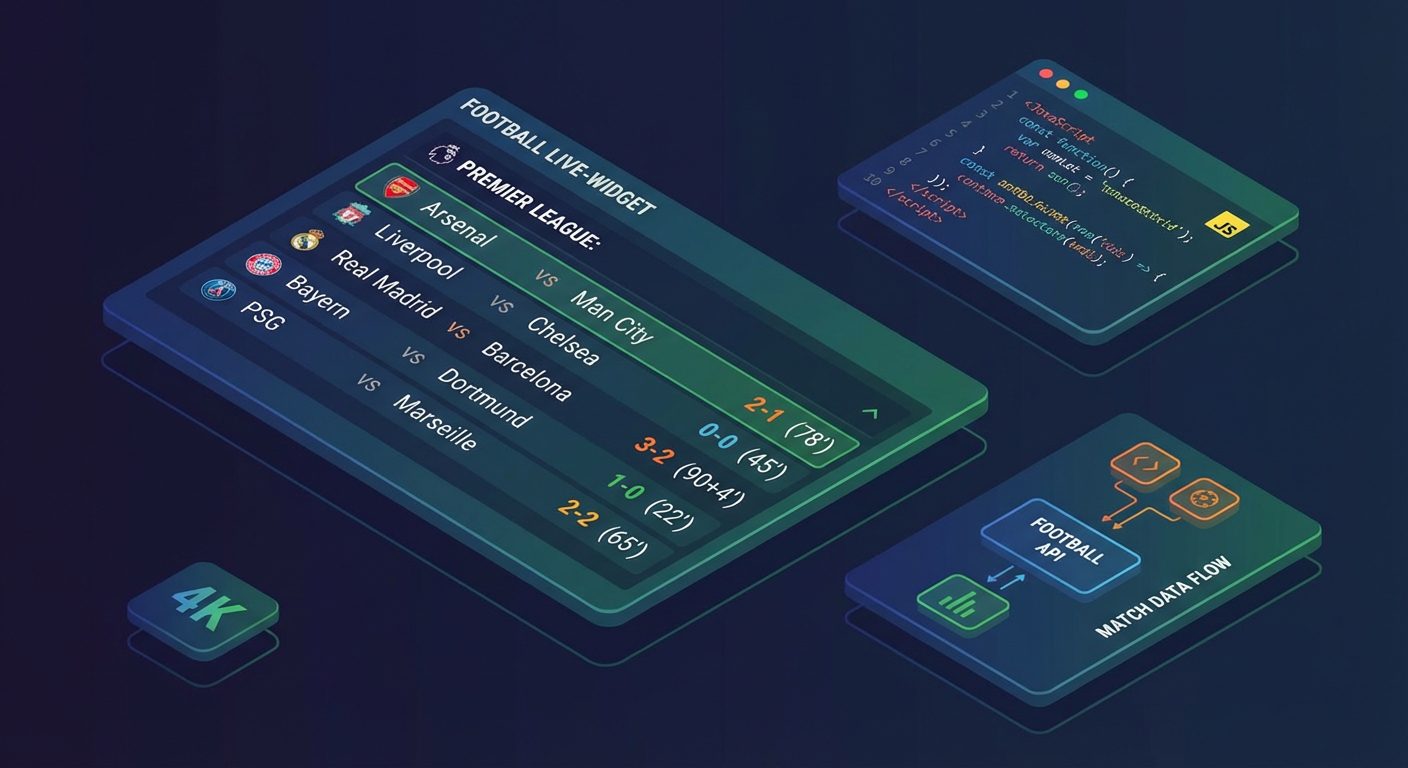
A football live score widget is a block on the website that shows the match score, meeting status, minute of play, and key events in real time: goals, cards, substitutions. Such a widget increases audience engagement, extends time on the site, and allows media owners, betting projects, and analytical services to provide visitors with relevant content without manual updates.
Technically, a widget is just a «wrapper»: HTML markup, styles, and JavaScript logic on the client side (or server-side rendering), which periodically requests data from an external source. The sports information itself (matches, scores, live events, statistics, odds) is most reliably obtained through a specialized sports events API. For example, in the Sport Events API based on api-sport.pro Football data is available through REST endpoints of the type /v2/fútbol/partidos и /v2/fútbol/partidos/{matchId}, where you can get not only the current score but also the field minutoDelPartidoActual, un array eventosEnVivo and detailed estadísticasDelPartido.
The workflow is simple: the widget sends a request to the API, receives a list of matches with parameters (tournament, teams, status, score, odds, etc.), after which JavaScript transforms the response into a readable format and renders it in the interface. Then the data is updated at a specified interval or, in the future, via a WebSocket connection, which will soon be available in the infrastructure API de eventos deportivos. This approach frees the developer from the need to parse websites or maintain their own feeds and allows them to focus on the design and functionality of the widget.
Which football match API to choose for live scores on the website
A key requirement for the sports API for live results is reliability and completeness of data. The API must return not only the basic score of the match but also the status (for example, no comenzado, en progreso, completado), the current minute (minutoDelPartidoActual), team lineups, detailed statistics by periods, as well as live events: goals, cards, substitutions, added time. In API de Eventos Deportivos this is implemented through the endpoint /v2/fútbol/partidos for the list of matches and /v2/fútbol/partidos/{matchId} for a specific meeting where fields are available eventosEnVivo и estadísticasDelPartido. This set allows building not only a simple score table but also a detailed timeline of events.
When choosing an API, it is important to pay attention to several criteria: geographical and tournament coverage (number of countries and leagues), frequency of live data updates, stability and response speed, availability of filters by date, tournament, team, or match status. It is also important that the API should scale under load, support secure key-based authorization, and have clear documentation. An additional advantage is integration with betting data. In the API from api-sport.ru for football, betting markets and odds are available through the field oddsBase in the match response. This allows complementing the live widget with bookmaker lines, which is especially relevant for betting and prediction sites.
Below is a simple example of a request for a list of current live football matches via REST API, which can be used as a basis for a future widget:
const apiKey = 'YOUR_API_KEY'; // получите ключ в личном кабинете
async function loadLiveMatches() {
  const url = 'https://api.api-sport.ru/v2/football/matches?status=inprogress';
  const response = await fetch(url, {
    headers: {
      Authorization: apiKey
    }
  });
  if (!response.ok) {
    console.error('Ошибка загрузки матчей', response.status);
    return;
  }
  const data = await response.json();
  console.log('Live-матчи:', data.matches);
}
loadLiveMatches();
Such a request returns an object with the field partidos, containing all the ongoing games. Next, it remains to filter the necessary tournaments or teams and display them in the widget interface in a convenient format.
How to get a key and connect the football live score API to the website
For your widget to request live results, a personal API key will be needed. In the ecosystem api-sport.pro it is issued after registration in the personal account. It is enough to create an account, choose a suitable tariff (there are plans for testing and for production loads), and generate a key in the access management section. This key is used in the header Autorización for all requests to REST endpoints. /v2/fútbol/.... It is important to keep the key in a safe place and not to publish it openly in a public repository.
Connecting the API to the site comes down to two steps. First, you configure the server or client part of the application to send HTTP requests to the base URL. https://api.api-sport.ru. Second, you add an authorization header with your key to each request. For quick testing, it is convenient to use Postman or curl, and then transfer the working example to the site code. Below is a basic API call to get today’s matches:
curl \
  -H 'Authorization: YOUR_API_KEY' \
  'https://api.api-sport.ru/v2/football/matches?date=2025-09-03'
In the production widget, it is better to proxy the key through the server: the frontend calls your backend, which then makes requests to the API using the secret key. This enhances security and allows for additional caching, request limiting, and data aggregation. You can obtain a working key and manage rates in the personal account at api-sport.ru, where new opportunities also arise — support for WebSocket connections for instant score updates and AI services for advanced analytics is planned.
How to create your own live score widget for football matches using the API
Developing a live results widget independently gives complete freedom in design and functionality: you are not limited by ready-made iframe solutions and can adapt the interface to the corporate style and project tasks. Thanks to the Sport Events API from api-sport.ru, the logic is built around several REST requests. At the top level, the widget regularly polls the endpoint /v2/fútbol/partidos with filters by date, status, and tournament. Using parameters fecha, estado, torneo_id or equipo_id, you form exactly the set of matches that your audience needs — from top leagues to local championships.
Next, each game can be enriched with details through a request. /v2/fútbol/partidos/{matchId}. In the response, compositions are available (homeTeam, awayTeam с lineup), the current minute (minutoDelPartidoActual), statistics on shots, ball possession, and duels (estadísticasDelPartido), as well as an array eventosEnVivo with goals, cards, and substitutions. This data can be conveniently presented in the form of a compact match card, an expandable block with a timeline, or a separate statistics panel. For betting projects, markets from the field are added to this data oddsBase, allowing the display of 1X2 odds, totals, and handicaps next to the current score.
Below is an example of a basic function that retrieves matches for a specific tournament and prepares them for display in a custom widget:
const apiKey = 'YOUR_API_KEY';
async function getTournamentMatches(tournamentIds) {
  const url = 'https://api.api-sport.ru/v2/football/matches'
    + '?status=inprogress'
    + '&tournament_id=' + encodeURIComponent(tournamentIds.join(','));
  const response = await fetch(url, {
    headers: { Authorization: apiKey }
  });
  const data = await response.json();
  // Здесь вы можете преобразовать данные к внутреннему формату виджета
  return data.matches.map(match => ({
    id: match.id,
    homeTeam: match.homeTeam.name,
    awayTeam: match.awayTeam.name,
    score: `${match.homeScore.current}:${match.awayScore.current}`,
    minute: match.currentMatchMinute,
    status: match.status
  }));
}
On top of such a function, a UI layer is built: sorting matches by leagues, filtering by teams, expandable blocks of live events, and integration with other sports (hockey, basketball, tennis), which are also available through universal endpoints of the type /v2/{sportSlug}/partidos. Thanks to a unified data format, you will later be able to expand your football widget into a full-fledged multi-sport live results center.
Example code for a football live score widget in JavaScript and HTML
Below is a simplified example of implementing a frontend live results widget in pure HTML and JavaScript. It requests a list of current football matches through the endpoint /v2/fútbol/partidos?estado=enprogreso, displays them as cards, and periodically updates the data. In a real project, you can refine the styles, add team logos, extended statistics, and a block with odds from the field. oddsBase, if you are using bookmaker APIs.
The HTML markup of the widget container may look like this:
<div id="football-live-widget">
  <h3>Live-результаты футбола</h3>
  <div id="matches-container">Загрузка матчей...</div>
</div>
JavaScript code for loading and updating matches:
const API_KEY = 'YOUR_API_KEY';
const API_URL = 'https://api.api-sport.ru/v2/football/matches?status=inprogress';
const REFRESH_MS = 30000; // обновление каждые 30 секунд
async function fetchLiveMatches() {
  const response = await fetch(API_URL, {
    headers: { Authorization: API_KEY }
  });
  if (!response.ok) {
    throw new Error('API error: ' + response.status);
  }
  const data = await response.json();
  return data.matches || [];
}
function renderMatches(matches) {
  const container = document.getElementById('matches-container');
  if (!matches.length) {
    container.textContent = 'Сейчас нет live-матчей.';
    return;
  }
  container.innerHTML = matches.map(match => {
    const minute = match.status === 'inprogress'
      ? match.currentMatchMinute + "'"
      : (match.status === 'finished' ? 'FT' : '—');
    return `
      <div class="match-card">
        <div class="match-header">
          <span class="match-tournament">${match.tournament.name}</span>
          <span class="match-minute">${minute}</span>
        </div>
        <div class="match-body">
          <span class="team home">${match.homeTeam.name}</span>
          <span class="score">${match.homeScore.current}:${match.awayScore.current}</span>
          <span class="team away">${match.awayTeam.name}</span>
        </div>
      </div>
    `;
  }).join('');
}
async function startLiveWidget() {
  try {
    const matches = await fetchLiveMatches();
    renderMatches(matches);
  } catch (e) {
    console.error(e);
    document.getElementById('matches-container').textContent = 'Ошибка загрузки данных.';
  }
}
startLiveWidget();
setInterval(startLiveWidget, REFRESH_MS);
This example can be integrated into any website: just connect the JavaScript file, insert the HTML container, and substitute the real API key obtained from the personal account at api-sport.ru. In the future, you will be able to replace periodic requests with a WebSocket connection as soon as this feature becomes available on the API side to receive score updates almost instantly.
How to configure the update and caching of football live scores via the API
The way you organize data updating and caching affects both the speed of the widget and the load on the infrastructure. When using REST API for live results, the typical approach is to regularly poll the endpoint /v2/fútbol/partidos with the parameter status=inprogress. The update interval is chosen based on the tasks: for news portals, 20-30 seconds is usually sufficient, while for betting projects, 5-10 seconds may sometimes be required. It is important to consider the request limits specified in the API provider’s tariff conditions and not exceed them unnecessarily.
To optimize traffic and response time, it is advisable to implement intermediate caching on your server. The backend makes a request to the API, stores the result in memory (for example, Redis) for a few seconds, and distributes it to all frontend clients. This way, you reduce the number of calls to the external API, while the widget still appears almost «online» to users. For matches with the status completado or no comenzado The TTL of the cache can be increased to minutes and even hours, as the data changes rarely. Below is a simplified example of server-side caching in Node.js:
const cache = new Map();
const CACHE_TTL_MS = 10000; // 10 секунд для live
async function getCachedLiveMatches() {
  const now = Date.now();
  const cached = cache.get('live-matches');
  if (cached && (now - cached.time) < CACHE_TTL_MS) {
    return cached.data;
  }
  const response = await fetch('https://api.api-sport.ru/v2/football/matches?status=inprogress', {
    headers: { Authorization: 'YOUR_API_KEY' }
  });
  const data = await response.json();
  cache.set('live-matches', { time: now, data });
  return data;
}
Special attention should be paid to errors and fault tolerance. If the API is temporarily unavailable, the widget should display the last successful state from the cache and inform the user about the delay in updating, rather than simply disappearing. In the future, transitioning to WebSocket within the platform api-sport.pro will eliminate the need for frequent polling of REST endpoints and receive push updates only when the score changes or a new event occurs, which will further reduce the load and make live widgets as responsive as possible.
Legal aspects and licenses when using the football match live score API
When working with live results, it is important to consider legal restrictions and terms of data use. Sports statistics and match scores themselves are generally not protected by copyright, but the specific format of their presentation, database structure, and accompanying content may be protected. Therefore, when using a third-party API, it is necessary to carefully study the user agreement and licensing terms of the provider. In the case of commercial APIs, such as a sports data platform api-sport.pro, access to information is regulated by a contract and the chosen tariff, which defines permissible use scenarios, request limits, and possible source attribution requirements.
Special attention should be paid to the use of club logos, tournament emblems, and video content (highlights, reviews). Rights to these materials generally belong to leagues, clubs, or media rights holders, and their display may require separate permission. Even if the API technically provides links to highlights through the field momentosDestacados, the responsibility for the correct use of video on your site lies with you. If you plan to integrate odds and betting markets into the widget via bookmaker APIs, you should ensure that your site complies with local gambling advertising laws and age restrictions.
It is recommended to: enter into an official agreement with the sports data provider, keep up-to-date versions of the API terms of use, set up logging of requests, and adhere to the limits specified in the tariff. For projects operating in multiple jurisdictions, it is useful to additionally consult with a lawyer to ensure that the display of live results, statistics, and betting information does not violate local laws and regulations of self-regulatory organizations in the sports or gambling industry.