- What are xG, xThreat, and PPDA in football and why are they needed
- Which football statistics APIs provide access to xG, xThreat, and PPDA
- How to design a live alert system for xG, xThreat, and PPDA from scratch
- Setting up live data retrieval for football matches via API: webhooks, streaming, polling
- How to set triggers and thresholds for live alerts on xG, xThreat, and PPDA
- Implementation of sending live alerts for xG, xThreat, and PPDA: Telegram bot, push notifications, email
- Code examples and architecture of a live alert system for football analytics via API
What are xG, xThreat, and PPDA in football and why are they needed
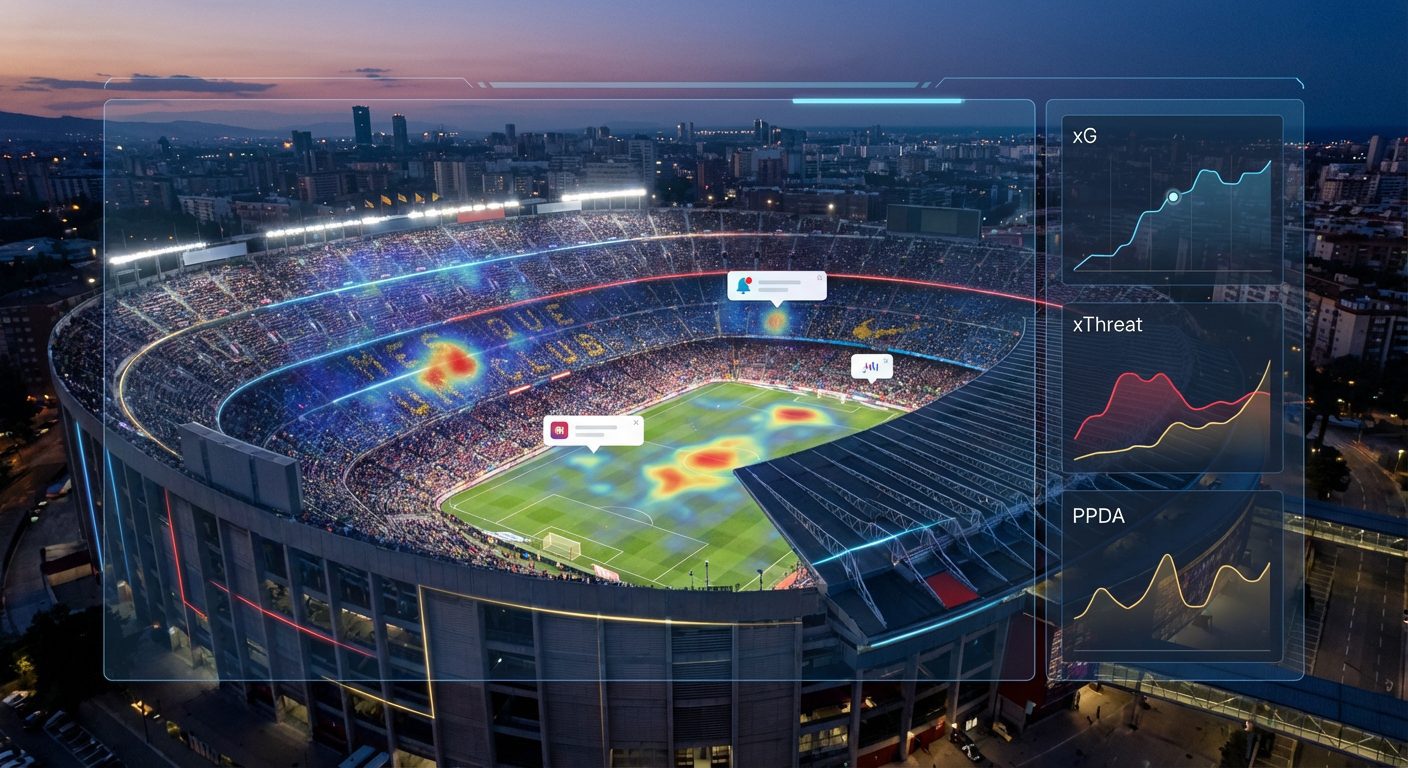
xG, xThreat, and PPDA relate to advanced football analytics and allow you to see the real quality of play that is not visible from the score. These metrics use detailed data on match events and help assess how much a team creates chances, how it advances the ball, and how intensely it presses the opponent. That is why they are actively used by club analytics departments, betting companies, media, and sports app developers.
xG (expected goals) shows the probability that a specific shot will result in a goal. The calculation takes into account the shot location, angle, type of shot, situation (set piece, counterattack, penalty), density of defenders, and other factors. The sum of xG for a match reflects the quality of created chances: a team can win on xG and lose on the score, indicating bad luck rather than weak attacking play. In live mode, an increase in xG signals growing pressure and often precedes a goal.
xThreat (expected threat) evaluates not only the shots themselves but also how a team advances the ball into dangerous areas. The field is divided into cells, and for each, the probability that a goal will arise from that zone within a few actions is known. Any pass or dribble changes the overall threat level: if a team consistently moves the ball into high-value areas, its xThreat increases. This metric allows for capturing dominance long before shots on goal and is excellent for live alerts about changes in game balance.
PPDA (passes allowed per defensive action) measures the intensity of pressing. Classically, PPDA is considered as the number of passes made by the opponent in a certain area of the field divided by the number of your defensive actions in that zone (tackles, interceptions, fouls). The lower the PPDA, the more aggressive and higher the pressing. In the dynamics of the match, a sharp drop in PPDA signals that the team has started to actively press the opponent, and this is the perfect reason for triggering a live alert.
By combining xG, xThreat, and PPDA, you can build a notification system that responds not just to goals or shots, but to real turning points — long stretches of dominance, sudden increases in pressure, structural changes in the game. Such alerts are especially valuable for betting, trading on odds, live content, and professional analytics.
Which football statistics APIs provide access to xG, xThreat, and PPDA
Most public football APIs do not provide xG, xThreat, and PPDA directly, but offer events and statistics based on which these metrics are calculated using proprietary models. For xG, data on each shot is usually needed: time, foot or head, type of moment, sometimes shot coordinates and defender positions. For xThreat, tracking the ball’s progression across the field is required: the sequence of passes and clearances linked to zones. For PPDA, at least data on the number of opponent passes and your defensive actions in specific zones and time intervals is necessary.
Football API service por el API de eventos deportivos api-sport.ru provides structured access to matches through endpoints of the v2 family. For football, this includes paths like v2/football/matches and v2/football/matches/{matchId}, where you get the match status, current minute, lineups, score, and detailed statistics matchStatistics: possession, shots, shots on target, entries into the final third, duels, tackles, interceptions, goalkeeper saves, and much more. The timeline of key events (goals, cards, substitutions, VAR decisions) is available through the endpoint v2/football/matches/{matchId}/events, where the liveEvents structure is used.
Based on such a set of metrics, you can build live models of xG, xThreat, and PPDA tailored to your product. For example, the approximate xG for a team can be assessed as a weighted function of shots from different zones and types of moments, xThreat as the change in the value of possessions when entering the final third and successful progressive passes, and PPDA as the ratio of accurate opponent passes to the sum of tackles, interceptions, and fouls in their half of the field. Importantly, through the same API, you can additionally obtain bookmaker odds from the oddsBase market and subsequently link alerts for xG and PPDA with the movement of quotes.
The service team is actively developing the platform: in addition to REST access to data, WebSocket streaming for instant delivery of updates has been announced, along with AI-based tools that will make it even easier to build complex models and alerts on top of football and other sports feeds. Right now, you can design the architecture considering that the data source supports both live statistics and bookmaker odds, and will expand with new capabilities.
How to design a live alert system for xG, xThreat, and PPDA from scratch
For the live alert system for xG, xThreat, and PPDA to be reliable and scalable, it is important to think through the architecture from the start. Essentially, you need to connect four layers: data source (football API), metrics calculation module, rules (triggers) engine, and notification delivery module. Each of these layers should be isolated so that you can update models, add new sports or notification channels without stopping the entire system.
Data and normalization layer
In the first step, you connect the sports events API, for example, the one that provides API for football, hockey, and other sports. A specialized service stub polls or subscribes to live data for the required tournaments and matches and converts the responses to an internal format: a unified match identifier, a standard statistics structure, events with timestamps. It is also useful to filter out unnecessary fields and log raw responses for debugging and retro-analysis.
Advanced metrics calculation module
The second layer is responsible for calculating xG, xThreat, and PPDA. It takes normalized data and applies your models. For xG, this can be logistic regression or gradient boosting trained on historical shots. For xThreat, a field zone value matrix and a model assessing the change in threat with each set of actions are more commonly used. PPDA is usually calculated as the aggregate ratio of passes to defensive actions in a sliding time window or by the number of possessions. It is important for this module to be idempotent: you will be able to replay events from past minutes and recalculate metrics as models improve.
Trigger engine and alert logic
The third layer is the rule-generating engine. It receives a stream of updated metrics and compares them to specified thresholds. Examples of rules: the xG of the dominant team exceeds the xG of the opponent by 1 or more in a tied score, the team’s PPDA sharply drops in the last 5 minutes, the total xThreat over 10 minutes exceeds the average by a certain number of standard deviations. For flexibility, it is advisable to store rules in a database and allow them to be configured through an internal admin panel or configuration files.
Notification layer and history storage
The fourth layer is the sending of live alerts and recording triggers. A dedicated service receives an alert event from the rules engine, enriches it with context (tournament name, current score, remaining time, key metric figures), and delivers it to the necessary channels: bots, push notifications, email, internal monitoring panels. Simultaneously, each trigger is recorded in the database with precise time and metric parameters, allowing for later analysis of strategy effectiveness and threshold adjustments. This multi-layered architecture makes the system resilient, manageable, and ready for expansion to other sports and types of analytics.
Setting up live data retrieval for football matches via API: webhooks, streaming, polling
The main task of integrating with the football API for live alerts is to receive updates as quickly and predictably as possible. In the classic REST approach, polling is used: your service regularly hits the match endpoints and retrieves fresh data. With WebSocket support, you will be able to switch to a real subscription in streaming mode and receive updates as they occur. The webhook option assumes that you organize an intermediate layer that polls the API and sends changes to your microservices via HTTP.
To get a list of current live football matches via REST in API v2, it is enough to filter matches by status. For example, you can call the endpoint v2/football/matches with the status inprogress and with an Authorization header containing your key. Then, details and events are requested by match identifier. The simplest example of polling live matches via curl might look like this:
curl -H ‘Authorization: YOUR_API_KEY’ ‘https://api.api-sport.ru/v2/football/matches?status=inprogress'[/code>
Having received the list of matches, you save their identifiers and periodically request details for each of them, including matchStatistics and liveEvents. This can be done, for example, every 10–20 seconds for top tournaments and less frequently for lower leagues, choosing the interval considering API limits and latency requirements. In Python, polling for a single match might look like this:
import requests headers = {‘Authorization’: ‘YOUR_API_KEY’} resp = requests.get(‘https://api.api-sport.ru/v2/football/matches/14570728’, headers=headers) data = resp.json() match_stats = data.get(‘matchStatistics’, []) live_events = data.get(‘liveEvents’, []) # then you pass the data to the xG, xThreat, PPDA calculation module[/code>
Once a WebSocket interface is available on the platform, you will be able to replace frequent polling with subscriptions to the necessary tournaments or matches and receive updates on statistics and events as a continuous stream. This will significantly reduce the load and improve latency for your alerts. The webhook approach is relevant if you want to separate the integration layer from API de eventos deportivos the internal logic: a separate service polls the API, compares the new state with the previous one, and sends POST requests to your metrics engine upon changes.
How to set triggers and thresholds for live alerts on xG, xThreat, and PPDA
The strength of the live alert system is determined not only by the quality of the data and models but also by how well the triggers are set up. The threshold conditions should reflect real turning points in the match, not every minor fluctuation in metrics. Otherwise, users or traders will quickly tire of the noise. Therefore, it is important to test the rules on historical matches before going live and to select values that yield a reasonable number of triggers and decent predictive power.
A typical approach to setting thresholds for xG is to use the difference in expected goals between teams in conjunction with the current score and minute of the match. For example, an alert can be generated when the dominant team has scored 0.8–1.0 expected goals more than the opponent, but the score remains tied or they are losing. This signals a possible comeback and a potentially undervalued side in the odds. For xThreat, good candidates are conditions based on a sliding window of 10–15 minutes: if a team has accumulated an unusually high level of threat during this period relative to its average, the system may send a notification of increasing pressure.
For PPDA, the logic is different: we are interested in the drop in the metric, as a low PPDA indicates aggressive pressing. A rule can be set such that if a team's PPDA has fallen below a chosen threshold (for example, 6–7 for high-tempo leagues) in the last 5–7 minutes, while previously it was significantly higher, it records the onset of high pressing and sends an alert. It is important to consider the context: the minute of the match, the score difference, player send-offs. Many professional systems use composite conditions, combining xG, xThreat, PPDA, and additional metrics of ball possession or shots.
An example of simple alert logic in pseudocode might look like this:
def should_alert(metrics): minute = metrics[‘minute’] xg_home = metrics[‘xg_home’] xg_away = metrics[‘xg_away’] ppda_away = metrics[‘ppda_away’] if 55 <= minute = 1.0 and ppda_away
This example illustrates a combined trigger: the advantage in xG for the hosts, a fairly low PPDA for the guests (i.e., intense pressing from the losing team), and a limited time window. In a real system, you would store such rules in a database and calibrate threshold values based on historical data, analyzing the distributions of xG, xThreat, and PPDA for specific leagues and tournament stages. This approach helps reduce noise, adapt to different championship styles, and cater to end users: bettors, analysts, coaches, or live content audiences.
Implementation of sending live alerts for xG, xThreat, and PPDA: Telegram bot, push notifications, email
When the trigger engine determines that the condition is met, the alert delivery layer comes into play. At this stage, it is important not to lose speed while not overwhelming users. Architecturally, it makes sense to have a single notification service that accepts a unified alert event with match parameters and metrics and routes it to various channels: bots, mobile and web pushes, email newsletters, internal dashboards for traders or analysts.
The Telegram bot is one of the most convenient channels for personalized live notifications. Your notification service generates the message text with key information: tournament, teams, current score, minute, values of xG, xThreat, PPDA, and a brief explanation of why the trigger was activated. Then, through an HTTP request to the Bot API, the message is delivered to the user or group. An example of sending can be implemented as follows:
curl -X POST ‘https://api.telegram.org/botYOUR_BOT_TOKEN/sendMessage’ -d ‘chat_id=CHAT_ID&text=Alert: increase in xG and decrease in PPDA in the match TeamA — TeamB'[/code>
Push notifications in mobile applications and web interfaces allow for quickly drawing attention to critical events without requiring the user to keep the working screen open constantly. For this, a proprietary backend is usually used, which receives the alert event and broadcasts it to Apple, Google, or browser push services via a service worker. It is important to add a deduplication and throttling mechanism to avoid sending dozens of repeated alerts for the same match and rule during minor fluctuations in metrics.
Email subscriptions are suitable for rarer but informative events: match reports with graphs of xG, xThreat, and PPDA, a digest of anomalous matches for the day, or strategy analysis. Here, a delay of a few minutes is not critical, but more analytics and visualizations can be included. In addition to external channels, many integrators connect internal systems: dashboards for trading on odds, alerts in work messengers, integrations with CRM. Since APIs for sports events and bookmakers also provide oddsBase, you can build a chain from xG and PPDA metrics to signals about overvalued markets and automatically highlight such situations in the trader's interface.
Code examples and architecture of a live alert system for football analytics via API
Below is a simplified example of a service that polls a football API, calculates metrics, and sends alerts. In a real project, you would separate the calculation of xG, xThreat, and PPDA into individual modules and add message queues, but the basic data flow would be similar. To start, you will need to register at tu cuenta personal en api-sport.ru and obtain an API key, which is then passed in the Authorization header with each request to the v2 endpoints.
Example of a minimal cycle in Python that combines polling live matches, fetching statistics, and checking a simple rule:
import time import requests API_KEY = ‘YOUR_API_KEY’ BASE_URL = ‘https://api.api-sport.ru/v2/football’ HEADERS = {‘Authorization’: API_KEY} def fetch_live_matches(): resp = requests.get(f'{BASE_URL}/matches’, params={‘status’: ‘inprogress’}, headers=HEADERS) return resp.json().get(‘matches’, []) def fetch_match_details(match_id): resp = requests.get(f'{BASE_URL}/matches/{match_id}’, headers=HEADERS) return resp.json() def calc_metrics(match_data): stats = match_data.get(‘matchStatistics’, []) minute = match_data.get(‘currentMatchMinute’) or 0 # this is where your xG, xThreat, PPDA calculation models are called xg_home = 0.9 # placeholder xg_away = 0.4 # placeholder ppda_away = 8.0 # placeholder return {‘minute’: minute, ‘xg_home’: xg_home, ‘xg_away’: xg_away, ‘ppda_away’: ppda_away} def should_alert(metrics): return 60 <= metrics[‘minute’] = 0.8 def send_alert(match_data, metrics): home = match_data[‘homeTeam’][‘name’] away = match_data[‘awayTeam’][‘name’] print(f'Alert: pressure {home} against {away}, xG difference {metrics[‘xg_home’] - metrics[‘xg_away’]:.2f}’) while True: for match in fetch_live_matches(): details = fetch_match_details(match[‘id’]) metrics = calc_metrics(details) if should_alert(metrics): send_alert(details, metrics) time.sleep(15)[/code>
In this example, the calc_metrics and should_alert functions are where you implement your own math and business logic. The data source and polling scheme remain the same: you use a stable REST interface API de eventos deportivos, where through the endpoints v2/football/matches and v2/football/matches/{matchId} you get the current state of the match, including matchStatistics, liveEvents, and the oddsBase block with bookmaker odds.
A typical production architecture is built around message queues and microservices. One service is responsible for integration with the API (polling now and WebSocket streaming as it becomes available), the second for calculating xG, xThreat, and PPDA and storing time series in the database, the third for the trigger engine, and the fourth for notifications. This division allows scaling critical components (for example, metric calculation and alert delivery) independently, adding new sports, additional bookmaker markets, and AI models without affecting existing logic. As a result, you get a flexible and reliable live analytics platform that can serve both internal analyst needs and external B2C products.