- ¿Qué es un widget para rastrear partidos favoritos y cómo funciona?
- Resumen de las API de eventos deportivos populares para crear un widget.
- Cómo elegir una API deportiva: tipos de datos, limitaciones y costo.
- Cómo obtener una lista de partidos y equipos a través de la API: ejemplos de solicitudes.
- Cómo configurar actualizaciones en tiempo real de puntajes y estadísticas de partidos a través de la API.
- Cómo implementar la selección y el guardado de partidos favoritos en el widget.
- Cómo incrustar un widget de seguimiento de partidos en un sitio web o en una aplicación móvil.
¿Qué es un widget para rastrear partidos favoritos y cómo funciona?
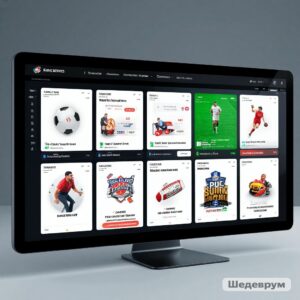
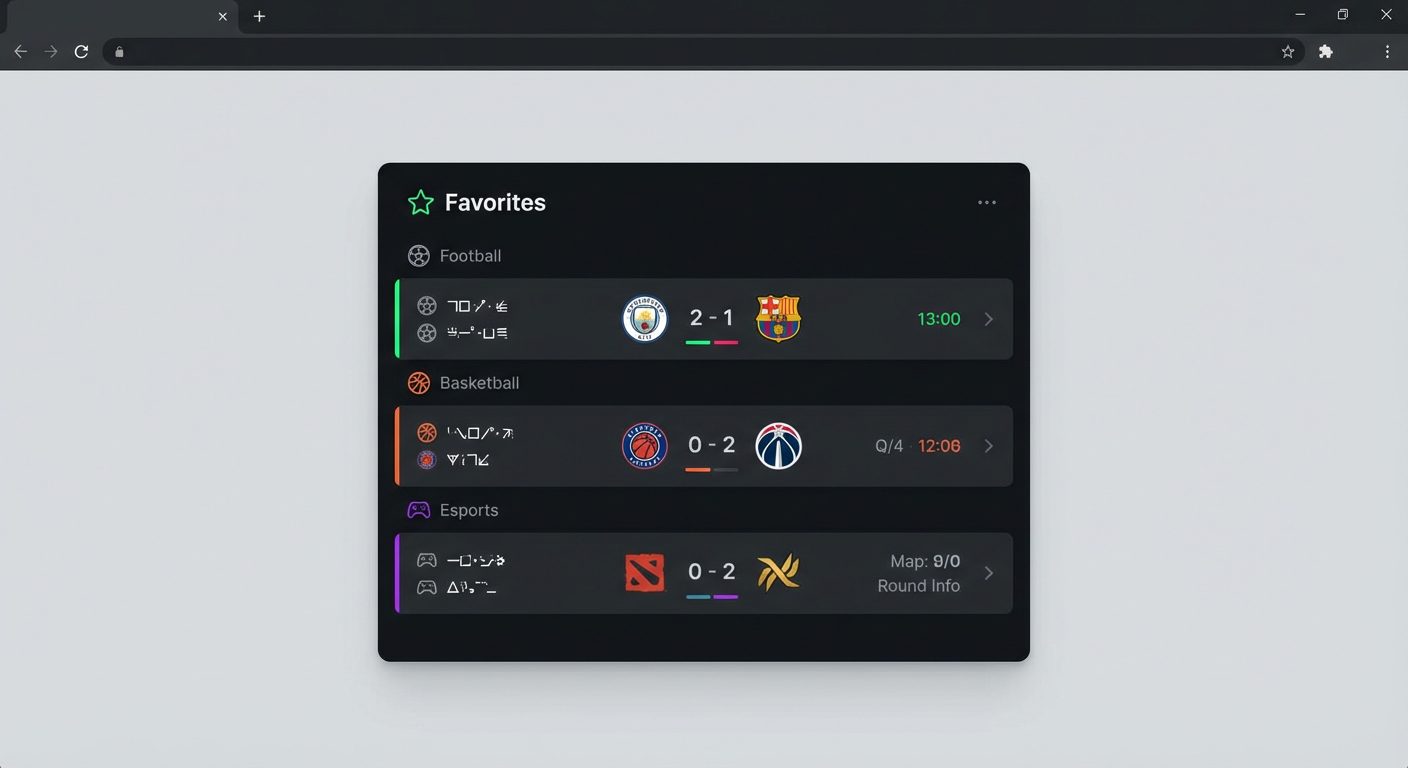
Un widget para rastrear partidos favoritos es un bloque interactivo compacto en un sitio web o en una aplicación que muestra solo aquellos partidos que son importantes para un usuario específico: equipos favoritos, torneos o mercados de apuestas. Técnicamente, dicho widget se construye sobre las API de eventos deportivos: el frontend simplemente solicita datos actuales del servidor para la lista de partidos y visualiza de manera atractiva el puntaje, estado, temporizador, eventos clave y cuotas de las casas de apuestas.
El esquema de funcionamiento es el siguiente: el usuario marca un partido como favorito (por ejemplo, haciendo clic en el ícono de «estrella»), el sistema guarda el identificador de este evento (matchId) y solicita periódicamente información sobre estos partidos a través de la API de Eventos Deportivos. Para fútbol, baloncesto, hockey, tenis, tenis de mesa y deportes electrónicos, es suficiente utilizar una única interfaz unificada: las respuestas de la API devuelven el estado del partido, el tiempo actual, el puntaje, las estadísticas y, si es necesario, las cuotas de apuestas. Esto permite la creación de un único widget para partidos favoritos en diferentes deportes.
Desde una perspectiva de producto, el widget resuelve varias tareas a la vez: aumenta la retención de la audiencia, mejora la profundidad de la página y el tiempo en el sitio, y estimula visitas repetidas durante los días de juego. Para proyectos de apuestas, esto además impulsa la actividad en apuestas en vivo, mientras que para portales de medios y deportes, sirve como una herramienta conveniente para la personalización de contenido. Al utilizar una API de eventos deportivos de calidad, como la API de Eventos Deportivos, el widget es fácilmente escalable: se pueden agregar nuevos deportes, estadísticas ampliadas, resúmenes en video, y se pueden integrar capacidades futuras como suscripciones WebSocket y recomendaciones de partidos generadas por IA «que podrían interesarte».
- Mostrando solo los partidos favoritos del usuario en lugar de la lista general de rondas y ligas.
- Un formato de datos unificado para diferentes deportes, que simplifica el desarrollo del frontend.
- Soporte para datos en vivo: estado, minuto actual, puntuación, eventos clave y estadísticas avanzadas.
- La capacidad de complementar las tarjetas de partidos con cuotas de casas de apuestas y enlaces a transmisiones o resúmenes.
Resumen de las API de eventos deportivos populares para crear un widget.
Para construir un widget confiable para rastrear partidos favoritos, se necesitan fuentes de datos que aseguren estabilidad, integridad y uniformidad de las estructuras de respuesta. En la práctica, los desarrolladores utilizan APIs de deportes profesionales que proporcionan información sobre partidos, torneos, equipos, jugadores y estadísticas en vivo. Es importante que tales servicios soporten deportes clave: fútbol, baloncesto, hockey, tenis, tenis de mesa, deportes electrónicos y amplíen regularmente la lista de disciplinas.
Servicio ruso api-sport.pro proporciona exactamente este tipo de datos a través de una interfaz REST unificada Sport Events API. El proveedor ofrece acceso a estructuras de partidos con campos de estado (no iniciado, en progreso, terminado, etc.), puntuación, minuto actual del partido (currentMatchMinute), eventos en vivo (goles, tarjetas, sustituciones) y estadísticas detalladas (matchStatistics). Dentro de los mismos endpoints, también se pueden obtener cuotas de casas de apuestas (oddsBase), lo que permite construir widgets no solo para medios y clubes, sino también para proyectos de apuestas sin conectar una API de apuestas separada.
La principal ventaja de una API profesional sobre el análisis personalizado o fuentes no estructuradas es la previsibilidad de los esquemas de datos y la documentación oficial. Para Sport Events API, todas las entidades (partidos, equipos, torneos, temporadas), parámetros de solicitud y posibles filtros están descritos en detalle. Esto permite el lanzamiento rápido de widgets MVP para partidos favoritos, y luego complicar gradualmente la funcionalidad: agregar torneos recomendados (defaultTournaments), reseñas de resúmenes en video, futuros canales WebSocket para actualizaciones instantáneas y servicios de personalización de IA.
Cómo elegir una API deportiva: tipos de datos, limitaciones y costo.
Al elegir una API de deportes para implementar un widget de partidos favoritos, es esencial primero observar la cobertura y profundidad de los datos. El mínimo básico incluye listas de partidos filtradas por deportes, torneos, equipos y fechas; estados (antes del partido, en progreso, terminado), puntuaciones por períodos, alineaciones de equipos y estadísticas avanzadas. En Sport Events API, estos requisitos se cumplen mediante el endpoint /v2/{sportSlug}/matches, que devuelve partidos con campos currentMatchMinute, liveEvents y matchStatistics, así como objetos anidados para torneos, temporadas, equipos y estadios. Además, el soporte para cuotas de casas de apuestas (oddsBase) y resúmenes en video es útil si planeas hacer que el widget sea más «vivo» y atractivo.
El segundo bloque importante son las limitaciones técnicas: límites de solicitudes, tamaños de respuesta, políticas de uso y garantías de disponibilidad. Un proveedor de API confiable siempre especifica las limitaciones en la documentación: el número máximo de identificadores en el parámetro ids, el conjunto disponible de filtros y la frecuencia de sondeo permitida para escenarios en vivo. En Sport Events API, disponible a través de sitio web oficial, se proporcionan puntos finales para consultas por fechas, torneos, equipos y estado, lo que permite optimizar la carga y solicitar solo los datos necesarios para el widget, sin sobrecargar ni al cliente ni al servidor.
Finalmente, es importante evaluar el costo y el modelo de precios. Las tarifas flexibles son adecuadas para proyectos con diferentes volúmenes de tráfico: desde planes iniciales para pequeños medios hasta tarifas corporativas para grandes casas de apuestas y plataformas con altos volúmenes de solicitudes. Los términos claros, el soporte en ruso y la transparencia durante el crecimiento de la carga son importantes. Usar la API de Eventos Deportivos de api-sport.ru permite construir una economía predecible: pagas por el acceso a datos estructurados en múltiples deportes, mientras puedes escalar la solución añadiendo nuevos torneos, clientes móviles y futuras capacidades como streaming por WebSocket sin una revisión completa de la lógica del widget.
Cómo obtener una lista de partidos y equipos a través de la API: ejemplos de solicitudes.
Para llenar el widget con partidos favoritos, necesitas poder obtener una lista de eventos y sus equipos asociados. En la API de Eventos Deportivos, esto se hace en dos pasos: primero, defines el deporte requerido a través del punto final /v2/sport, luego solicitas partidos por un slug específico (fútbol, baloncesto, hockey sobre hielo, tenis, tenis de mesa, deportes electrónicos, etc.) a través de /v2/{sportSlug}/matches. Por defecto, se devuelven partidos para la fecha actual sin filtros, y utilizando los parámetros date, status, team_id, tournament_id e ids, puedes formar de manera flexible una consulta para tu escenario.
Un ejemplo de obtención de todos los partidos en vivo de fútbol (status=inprogress) para posterior adición a la lista de la que el usuario seleccionará reuniones favoritas. En el ejemplo, la solicitud se realiza desde un navegador o aplicación frontend utilizando una clave pasada en el encabezado de Autorización:
const API_KEY = 'ВАШ_API_КЛЮЧ';
async function loadLiveFootballMatches() {
  const response = await fetch(
    'https://api.api-sport.ru/v2/football/matches?status=inprogress',
    {
      headers: {
        'Authorization': API_KEY
      }
    }
  );
  const data = await response.json();
  // data.matches — массив матчей с командами, турнирами, счётом и статистикой
  return data.matches;
}
Cuando tienes una lista de matchId, puedes solicitar los equipos asociados a través de /v2/{sportSlug}/teams, pasando un array de identificadores de equipos en el parámetro ids. Esto es útil si deseas obtener además alineaciones, país, logo y otra información. A continuación se muestra un ejemplo de solicitud de equipos por IDs conocidos:
async function loadTeamsByIds(teamIds) {
  const API_KEY = 'ВАШ_API_КЛЮЧ';
  const idsParam = teamIds.join(',');
  const response = await fetch(
    `https://api.api-sport.ru/v2/football/teams?ids=${idsParam}`,
    {
      headers: {
        'Authorization': API_KEY
      }
    }
  );
  const data = await response.json();
  // data.teams — подробная информация о командах и игроках
  return data.teams;
}
Al combinar estas solicitudes, puedes primero mostrar una lista general de partidos para selección y luego, en función de los eventos seleccionados por el usuario, ensamblar un widget compacto pero rico en información de partidos favoritos.
Cómo configurar actualizaciones en tiempo real de puntajes y estadísticas de partidos a través de la API.
Para que el widget de partidos favoritos se vea «en vivo» y actualizado, es necesario configurar actualizaciones regulares de los datos sobre los partidos que el usuario ha añadido a favoritos. En la API de Eventos Deportivos, la información en vivo está disponible a través de los campos currentMatchMinute, homeScore, awayScore, liveEvents y matchStatistics en las respuestas de los puntos finales /v2/{sportSlug}/matches y /v2/{sportSlug}/matches/{matchId}. En la práctica, se utilizan más comúnmente dos enfoques: sondeo periódico (short polling) y, a medida que aparecen, suscripciones a través de canales WebSocket.
El modelo actualmente recomendado es el sondeo corto de la API a intervalos razonables (por ejemplo, cada 5–15 segundos para en vivo, o con menos frecuencia para listas previas al partido). Solicitas datos solo para partidos favoritos, pasando sus identificadores en el parámetro ids, y actualizas la interfaz del widget. A continuación se muestra un ejemplo de una actualización simple del marcador y el minuto actual para una lista específica de partidos de fútbol:
const API_KEY = 'ВАШ_API_КЛЮЧ';
const FAVORITE_MATCH_IDS = [14570728, 14586240];
async function refreshFavorites() {
  const idsParam = FAVORITE_MATCH_IDS.join(',');
  const url = `https://api.api-sport.ru/v2/football/matches?ids=${idsParam}`;
  const response = await fetch(url, {
    headers: {
      'Authorization': API_KEY
    }
  });
  const data = await response.json();
  data.matches.forEach(match => {
    // match.currentMatchMinute, match.homeScore, match.awayScore,
    // match.liveEvents и match.matchStatistics доступны для отображения
    updateMatchWidgetUI(match);
  });
}
// Запускаем периодическое обновление
setInterval(refreshFavorites, 10000);
A medida que el servicio se desarrolla en API de Eventos Deportivos de api-sport.ru Se planea la adición de suscripciones WebSocket y herramientas de IA. WebSocket permitirá recibir cambios para los partidos favoritos al instante sin solicitudes constantes, mientras que los servicios de IA recomendarán partidos que probablemente interesen al usuario (por ejemplo, finales tensos, derbis, remontadas). Sin embargo, incluso ahora, el modelo REST cubre completamente el escenario típico de un widget de partidos favoritos: puedes actualizar dinámicamente el marcador, mostrar estadísticas extendidas por períodos y mostrar la línea de tiempo del evento utilizando solicitudes HTTP estándar.
Cómo implementar la selección y el guardado de partidos favoritos en el widget.
La característica clave del widget es permitir al usuario crear de forma independiente una lista de partidos favoritos. En el frontend, esto generalmente se implementa a través de un ícono de «favorito» en la tarjeta del partido: al hacer clic, agregas o quitas el ID del partido (matchId) de la lista local. Tal lista puede almacenarse en el localStorage del navegador, en cookies o en el backend, vinculando los partidos a la cuenta del usuario. Al utilizar la API de Eventos Deportivos, basta con recordar la lista de IDs y pasarlos en el parámetro ids del endpoint /v2/{sportSlug}/matches con cada actualización.
Un ejemplo simple de guardar partidos favoritos en localStorage podría verse así:
const STORAGE_KEY = 'favoriteMatchIds';
function getFavoriteMatchIds() {
  const raw = localStorage.getItem(STORAGE_KEY);
  return raw ? JSON.parse(raw) : [];
}
function saveFavoriteMatchIds(ids) {
  localStorage.setItem(STORAGE_KEY, JSON.stringify(ids));
}
function toggleFavoriteMatch(matchId) {
  const ids = getFavoriteMatchIds();
  const index = ids.indexOf(matchId);
  if (index === -1) {
    ids.push(matchId);
  } else {
    ids.splice(index, 1);
  }
  saveFavoriteMatchIds(ids);
  return ids;
}
Después de que la lista de partidos favoritos se guarda, puede usarse para solicitudes selectivas a la API de Eventos Deportivos y para construir un widget compacto. En la misma solicitud, recibes no solo el marcador y el estado, sino también las cuotas de los bookmakers (a través del campo oddsBase), así como resúmenes y estadísticas. Esto te permite crear una tarjeta informativa: logotipos de equipos, torneo, marcador actual, eventos clave, dinámica de cuotas y, si es necesario, enlaces rápidos a la página del partido o al cupón de apuestas. Este enfoque se escala a diferentes deportes, mientras que la lógica para seleccionar partidos favoritos permanece igual para fútbol, baloncesto, hockey, tenis, tenis de mesa y deportes electrónicos.
Cómo incrustar un widget de seguimiento de partidos en un sitio web o en una aplicación móvil.
Integrar el widget de seguimiento de partidos favoritos en el sitio generalmente se reduce a agregar un contenedor al marcado y conectar el código JavaScript que se comunica con la API de Eventos Deportivos. Creas un bloque, por ejemplo <div id="»favorites-widget»"></div>, e inicializas un componente en él que carga los partidos favoritos a través de la API y los renderiza como una tabla o una lista de tarjetas. Es importante pensar en la capacidad de respuesta: en escritorio, puedes mostrar una tabla extendida con estadísticas completas, mientras que en dispositivos móviles — una lista compacta con los campos principales y la posibilidad de expandir detalles al hacer clic.
En aplicaciones móviles (React Native, Flutter, iOS/Android nativo), el widget se implementa como una pantalla o módulo separado que llama a los mismos endpoints REST y almacena la lista de partidos favoritos en una base de datos local o en la cuenta del usuario. En ambos casos, es crítico asegurar el almacenamiento seguro de la clave de acceso a la API de Eventos Deportivos: en producción, es mejor proxy a través de tu backend. Puedes obtener una clave API y gestionar el acceso en la cuenta personal de API-Sport, después de lo cual basta con configurar un cliente básico a https://api.api-sport.ru y utilizar los endpoints correspondientes para los deportes requeridos.
Desde una perspectiva de UX, el widget de seguimiento de partidos se convertirá en el elemento central de la personalización: puede colocarse en el encabezado del sitio, en una página separada, en la barra lateral o dentro de la cuenta personal del usuario. Además, vale la pena considerar el almacenamiento en caché de respuestas y la optimización de solicitudes (por ejemplo, combinando varios matchIds en una sola llamada con el parámetro ids) para acelerar la carga. Al utilizar la API de Eventos Deportivos de api-sport.pro, obtienes una única fuente de datos para el sitio web y clientes móviles, minimizas el tiempo de desarrollo y mantienes flexibilidad para el desarrollo futuro, desde conectar WebSocket hasta implementar recomendaciones de IA y análisis en profundidad para cada partido.