- PPDA in football what is this statistic in simple terms
- How is the PPDA metric calculated formula and examples
- What PPDA values are considered high and low for pressing analysis
- Which football APIs provide the PPDA metric and advanced pressing statistics
- How to obtain a team’s PPDA data through sports event API step by step
- How to use PPDA from the API for tactical match analysis and pressing quality
- Integration of the PPDA indicator from the API into analytical reports and dashboards
PPDA in football what is this statistic in simple terms
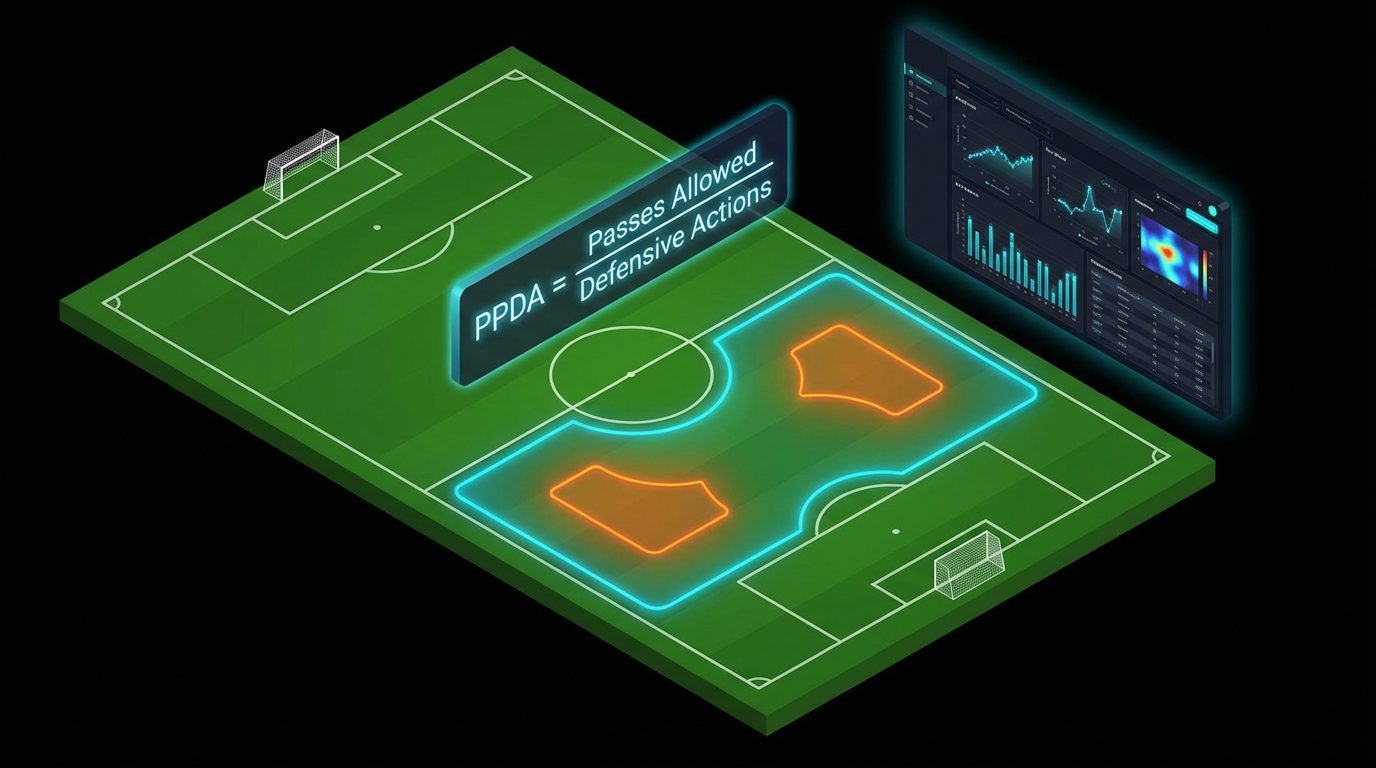
PPDA (Passes Allowed Per Defensive Action) in football is a metric that shows how many passes the opponent is allowed to make before the team performs one active defensive action in the pressing zone. Simply put, it measures how aggressively and organized the team presses the opponent without the ball. The lower the PPDA value, the more often the team engages in tackles, interceptions, and fouls, not allowing the opponent to play the ball freely. A high PPDA, on the contrary, indicates passive defense and a large number of free passes for the opponent.
In the classic interpretation, PPDA is calculated based on actions that occur in the midfield and attacking zone of the pressing team (approximately 60 % closer to the opponent’s goal). It takes into account the opponent’s passes in this part of the field and divides them by the number of defensive actions of the pressing team: tackles, attempts to tackle, interceptions, fouls aimed at tackling, and other challenges for the ball. This allows the metric to accurately describe not only the volume of work without the ball but also stylistic features: high, medium, or low block, activity of the first lines of pressure.
Today, PPDA is widely used by scouts, club analysts, media, and betting companies because it lends itself well to automatic calculation based on match event statistics. It is enough to have detailed data on passes and defensive actions to build your own pressing models. Such data is provided by the sports event API. api-sport.proFor each football match, you receive a structure with extended statistics, from which you can independently calculate PPDA for both teams and integrate this indicator into your services, dashboards, or forecasting systems.
How is the PPDA metric calculated formula and examples
The basic formula for PPDA looks like this: PPDA = P / DA, where P is the number of opponent’s passes in your pressing zone, and DA (Defensive Actions) is the number of your defensive actions in the same zone. Defensive actions usually include tackles, attempts to tackle, interceptions, pressing duels, and fouls committed while trying to regain possession of the ball. In professional models, the numerator includes the opponent’s passes in their defensive and central thirds of the field, while the denominator includes all actions of your team without the ball aimed at regaining possession.
Let’s consider a simplified example. The opponent made 110 passes in their and the middle zones during the first half, while your team made 28 defensive actions (tackles, interceptions, fouls while attempting to tackle). Then your team’s PPDA for the half will be 110 / 28 ≈ 3.93. This is a very low value: you allow an average of less than four passes before actively engaging in the fight, which characterizes extremely high pressing. If the opponent made the same 110 passes, but there were only 10 defensive actions, PPDA = 11 — this indicator is closer to the average or even low level of pressure.
When working with sports event APIs, for example, with a football API service api-sport.pro, it is convenient to take the numerator and denominator of the formula from the extended match statistics. In the object matchStatistics you will find the total passes of the opponent (key passes), as well as values for tackles (totalTackle), interceptions (interceptionWon), duels and fouls (fouls). By summing the defensive actions for the required team and dividing the number of opponent’s passes by the obtained sum, you get the PPDA for the match or for a specific half (periods ALL, 1ST, 2ND are presented in the data), after which you can store and analyze this indicator in your own analytical system.
What PPDA values are considered high and low for pressing analysis
The values of PPDA should always be interpreted in context: leagues, team style, game speed, and match samples. However, in the practice of football analytics, approximate ranges have been established. Values up to 6-7 are conditionally considered very low PPDA (i.e., extremely high pressing). These are teams that practically do not allow the opponent to breathe, actively involve forwards and midfielders in the pressure, and try to regain possession as quickly as possible after losing the ball. The range of 7-10 is usually referred to as high but more balanced pressing.
Indicators around 10-14 are considered average: the team presses episodically, choosing moments when it has a numerical advantage or advantageous positioning, while consciously sitting back at times, covering dangerous areas. Values above 14-15 indicate low or moderate pressing. This can be a conscious strategy of playing as the second team, betting on compactness in a low block and counterattacks, or it may indicate problems with physicality or coordination of pressing between lines. It is important to remember that a «good» PPDA is not always minimal; it should correspond to the game plan that the team implements.
Analysts using data from sports event APIs usually look not at a single PPDA value but at the dynamics: the average figure for the season, differences at home and away, dependence on the status of the favorite or outsider. Based on data obtained through the API, matches can be grouped by coach, formation, phase of the season, and one can see how the intensity of pressure changes. This approach allows for a more accurate assessment of the trend: whether the team has indeed started pressing more or if a spike in one match is related to a specific opponent and the scenario of the match (quick goal, red card, etc.).
Which football APIs provide the PPDA metric and advanced pressing statistics
Football APIs can be conditionally divided into two types: services that immediately provide ready-made advanced metrics (PPDA, high recovery metrics, zone pressing, etc.), and sources that provide detailed event statistics, based on which such indicators are calculated independently. The first option is convenient for speed of implementation but is rigidly tied to someone else’s calculation methodology and is usually more expensive. The second option offers flexibility: you define the pressing zone, set of defensive actions, and can adapt PPDA to your analytical requirements.
The platform api-sport.pro refers to the second, more universal type. Within the football API, you receive an extended object for each match. matchStatistics with a breakdown by key groups: passes (including accurate, long, in the final third), recoveries, interceptions, duels, fouls, clearances, saves, and much more. This data is sufficient to calculate PPDA, intensity of recoveries by halves and opponents, build your own pressing models, and combine them with other analytics, such as possession or number of shots.
Below is an example of a simple API request that retrieves data for a specific football match along with extended statistics. This is enough to calculate PPDA for both teams on your side and store it in a database or use it directly in the application:
curl -X GET "https://api.api-sport.ru/v2/football/matches/14570728" \
  -H "Authorization: YOUR_API_KEY"
In the response, you will find an object matchStatistics with an array of periods (ALL, 1ST, 2ND). In each period, the statistics are broken down into groups (Match overview, Defending, Passes etc.), where each indicator has values for the home and away teams (домашняяСтоимость, выезднаяСтоимость1. ). Based on these fields, you can build your own PPDA calculation module, and with the emergence of WebSocket connections and AI add-ons on the api-sport.ru service side — update pressing metrics in almost real-time without complex infrastructure modifications.
How to obtain a team’s PPDA data through sports event API step by step
2. To calculate PPDA through the sports events API, just a few sequential steps are needed. First, you register on the platform and obtain an access key to the API in the personal account.. 3. . Then you define the match you are interested in: it can be a specific game found by ID, or a list of matches by date, tournament, and team. After that, you request the details of the needed match with extended statistics and on your server or application, calculate PPDA based on the provided numerical fields.
4. Practically, it looks like this. Step 1 — get a list of matches, for example, for a specific date and tournament, through the method /v2/football/matches, 5. , using filters дата и tournament_id. 6. . From the response, take the needed matchId. 7. . Step 2 — request the details of this match using the method /v2/football/matches/{matchId} 8. and extract the object matchStatistics. 9. . Step 3 — find the indicators in the array with the period ALL indicators passes (opponent’s passes) and your team’s defensive actions: totalTackle, interceptionWon, ballRecovery, fouls. Step 4 — sum up the defensive actions, divide the opponent’s passes by the obtained sum, and save the calculated PPDA value.
Below is an example of Python code that shows the basic logic for obtaining a match, extracting statistics, and calculating PPDA for the home team. In a real project, you can wrap this algorithm in a scheduler task, run through the season, and calculate PPDA for all of the team’s games:
import requests
API_KEY = "YOUR_API_KEY"
BASE_URL = "https://api.api-sport.ru/v2/football"
match_id = 14570728
resp = requests.get(
    f"{BASE_URL}/matches/{match_id}",
    headers={"Authorization": API_KEY},
)
match = resp.json()
stats = match.get("matchStatistics", [])
all_period = next((p for p in stats if p.get("period") == "ALL"), None)
def get_value(key, side="home"):
    if not all_period:
        return 0
    for group in all_period.get("groups", []):
        for item in group.get("statisticsItems", []):
            if item.get("key") == key:
                return item.get(f"{side}Value", 0)
    return 0
# передачи соперника по всему матчу
opponent_passes_for_home = get_value("passes", side="away")
# оборонительные действия хозяев
home_def_actions = (
    get_value("totalTackle", side="home") +
    get_value("interceptionWon", side="home") +
    get_value("ballRecovery", side="home") +
    get_value("fouls", side="home")
)
ppda_home = opponent_passes_for_home / home_def_actions if home_def_actions else None
print("PPDA (home):", ppda_home)
How to use PPDA from the API for tactical match analysis and pressing quality
The PPDA metric calculated from the API data becomes a powerful tool for tactical analysis. In pre-match preparation, analysts look at the average PPDA of the team for the season and for specific segments: at home and away, against comparable opponents, with different formations (4-3-3, 3-4-3, etc.). If the sample of matches shows that the team consistently maintains a PPDA of 6-8, one can expect intense high pressing. Conversely, stable values above 14-15 will indicate to the coaching staff that the opponent prefers to defend low and cede initiative.
During the match itself, the PPDA calculated from live statistics from the API helps track changes in the game plan. Through regular requests to the method /v2/football/matches with status inprogress you receive an updated object matchStatistics and can recalculate PPDA every few minutes. If after conceding a goal or taking the lead your metric changes sharply (for example, from 8 to 13), this is a signal: the team has reduced the intensity of pressure or shifted the block lower. In the future, the planned integration of WebSocket on the platform side will allow receiving updates on statistics without polling the API and building fully live tactical panels.
For betting and risk management, the PPDA obtained through the API is especially valuable in conjunction with bookmaker odds. In the responses of the method /v2/football/matches you can simultaneously receive both match statistics and markets oddsBase. This allows building signal models: if the favorite unexpectedly «lets go» of the opponent (PPDA rises, pressure drops), but the bookmaker line has not yet adjusted, the system can highlight such games as potentially interesting for adjusting limits or odds. Below is an example of a simplified API request in JavaScript format:
fetch("https://api.api-sport.ru/v2/football/matches?status=inprogress", {
  headers: { Authorization: "YOUR_API_KEY" },
})
  .then((r) => r.json())
  .then((data) => {
    data.matches.forEach((match) => {
      // здесь можно извлечь match.matchStatistics и oddsBase
      // и посчитать PPDA + сопоставить с коэффициентами
    });
  });
Integration of the PPDA indicator from the API into analytical reports and dashboards
In order for PPDA to become an integral part of your analytics, it needs to be integrated into the regular data flow: collection via API, calculation of the metric, storage in a repository, and visualization in reports or dashboards. A typical architecture looks like this: a background service or cron job regularly accesses the sports events API api-sport.pro, retrieves fresh matches and their matchStatistics, calculates PPDA for each team and records the results in a database or analytical layer (Data Warehouse). Then the BI system or custom frontend builds graphs by seasons, coaches, tournaments, comparing the intensity of pressing and its dynamics.
Technically, this can be implemented on any stack: Python, Node.js, PHP, Go — it is more important to properly organize the storage scheme. It is convenient to create a separate table or collection team_pressing_metrics, where for each team, match, and period the calculated PPDA will be stored, as well as related metrics (possession, shots, xG, if you count them separately). This approach simplifies the construction of complex reports: «Team PPDA when the score is 0:0», «pressing intensity in the first 15 minutes», «comparison of pressure against top clubs and mid-table teams», etc. With the introduction of WebSocket support, you will be able to update such dashboards almost online, without overloading the API with repeated requests.
Below is an example of a conditional SQL query for a simple report on PPDA, calculated based on data obtained from the API. In a real project, the fields and table names may differ, but the idea remains the same: we use the calculated PPDA as a regular numeric field, which can be used to build filters, aggregations, and visualizations:
SELECT
  season,
  team_name,
  AVG(ppda)       AS avg_ppda,
  AVG(possession) AS avg_possession,
  COUNT(*)        AS matches
FROM team_pressing_metrics
WHERE tournament_id = 7 -- например, Лига чемпионов
GROUP BY season, team_name
ORDER BY avg_ppda ASC;
Thus, by setting up the retrieval of matches via API and the calculation of PPDA once, you turn raw statistics into a clear metrics language for coaches, analysts, and betting specialists. All of this is built on top of a single data source — the sports events and bookmaker odds API, which is constantly evolving: new sports are added, detailed statistics, live events, and in the future — AI modules for automatic detection of anomalies in pressing and other game patterns.