- What is pressure, shots, and pace of play in football: key metrics for online analytics
- What data on pressure, shots, and pace of play can be obtained through the sports events API
- How to connect to the sports statistics API for real-time match analysis
- How to calculate pressure and pace of play based on real-time API data
- How to use the API for analyzing shots on goal and xG metrics during a match
- How to visualize pressure, shots, and pace of play from the API in dashboards and applications
What is pressure, shots, and pace of play in football: key metrics for online analytics
In modern football, the match result is no longer explained solely by the score and number of goals. Professional clubs, media services, and betting companies evaluate the game through a combination of advanced metrics. Among them, three groups of indicators are particularly important: pressure, shots, and pace. These parameters allow us to understand which team controls the course of the match, who creates more threats, and how intensively the match develops over a specific period of time.
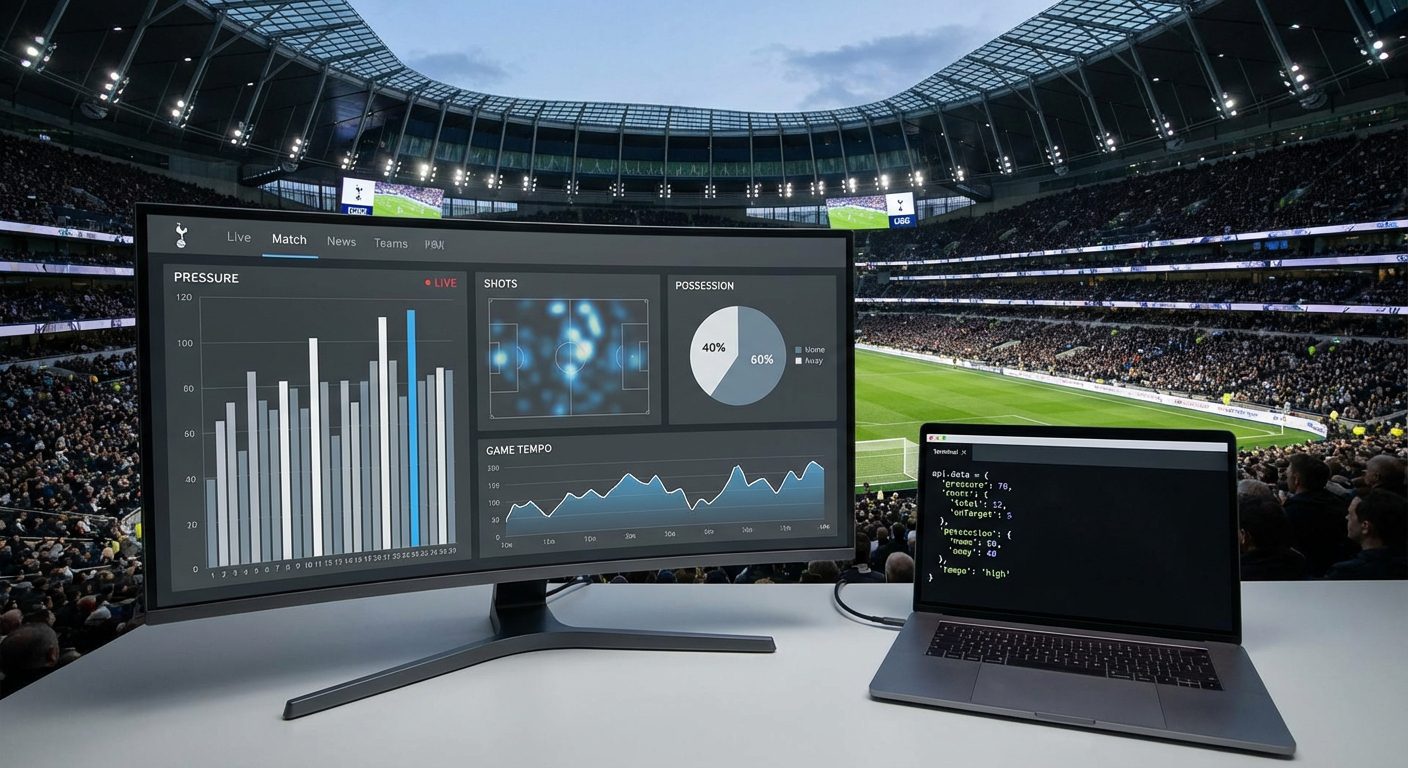
Pressure in football usually describes how often a team advances the ball into the final third, how many times it enters the penalty area, how often it makes passes and crosses into dangerous zones, and how quickly it regains possession after losses. On the pressure graph, the viewer or analyst sees where the team «pins» the opponent to their goal. For online analytics, such conclusions are based on actual numbers: ball possession, финальные третьи записи, number of touches in the penalty area, shots, and corners.
Shots and game tempo complement the picture. The shot statistics include the total number of attempts, shots on target, shots from inside and outside the penalty area, blocked attempts, as well as the share of converted goal-scoring opportunities. The game tempo describes how many actions the team performs per unit of time: passes, duels, attacks, shots. If there is data on the current minute of the match and key events from a recent period, it is possible to calculate the dynamic tempo and understand whether the pressure is increasing, decreasing, or remaining stable. All this becomes possible in real-time with detailed data from a sports API.
What data on pressure, shots, and pace of play can be obtained through the sports events API
The platform by the sports events API api-sport.ru provides structured data on matches in various sports, including football, hockey, basketball, tennis, table tennis, and esports. For football, access to key metrics is provided through endpoints /v2/football/matches и /v2/football/matches/{matchId}. The response of these methods contains a field currentMatchMinute with the current minute of the match, an array liveEvents with the chronology of events and a block matchStatistics with detailed statistics on the match and halves.
Inside matchStatistics the data is grouped into logical blocks: «Match overview», «Shots», «Attack», «Passes», «Duels», «Defending», and others. These groups contain metrics necessary for assessing pressure and tempo: ball possession (ballPossession), total number of shots (totalShotsOnGoal), shots on target (shotsOnGoal), shots from the penalty area and from outside it (totalShotsInsideBox, totalShotsOutsideBox), passes (passes, accuratePasses), entries into the final third (finalThirdEntries), duels and tackles. For each indicator, the API returns values for home and away teams, as well as the type and format of the value, which simplifies further calculation of aggregated pressure indices.
Additionally, in the match object, bookmaker odds are available through an array oddsBase. They allow analyzing the relationship between game pressure and market reaction in real time. For other sports, the structure adapts to the specifics of the discipline, but the principle remains the same: through a single REST API, you get current events, scores, detailed statistics, and bookmaker lines. Based on this data, it is easy to build your own pace metrics, shot charts, and pressure indicators in live mode for professional dashboards, applications, and analytical services.
How to connect to the sports statistics API for real-time match analysis
To start working with real-time data, you need to obtain an API key. Registration takes minimal time: create an account on the api-sport platform, and then log in to the personal account.. In the dashboard, you will receive an individual access key that must be passed in the header Authorization with each request to the REST API. The base URL for server requests: https://api.api-sport.ru. Then you choose the sport and use the corresponding path, for example /v2/football/ for football or /v2/basketball/ for basketball.
To get a list of current live matches with basic statistics for football, just send a request to the endpoint /v2/football/matches with a status filter. In the response, you will receive an array of matches with the current minute, score, parameter matchStatistics and, if necessary, with bookmaker odds. This approach opens up the possibility of regular polling of the API at a specified interval or switching to WebSocket, which will soon be available in the service infrastructure and will allow you to receive updates almost instantly without constant polling.
curl -X GET "https://api.api-sport.ru/v2/football/matches?status=inprogress" \
  -H "Authorization: YOUR_API_KEY" \
  -H "Accept: application/json"
Further integration depends on your stack. In web applications, it is convenient to access the API via получить or HTTP client-level libraries. In backend services, API requests are often moved to a separate module that periodically updates data on selected matches and stores it in cache or a database. Such an abstraction layer simplifies the implementation of analytics: at the top, you work not with raw data but with already prepared objects that include all the necessary fields for calculating pressure, pace, and shot analysis.
How to calculate pressure and pace of play based on real-time API data
Pressure and pace of the game are not represented by a single number in match statistics. These are composite indicators that you form yourself from available fields. Based on the data matchStatistics you can build a pressure index that takes into account ball possession, the number of entries into the final third, shots, and set pieces at the opponent’s goal. The API response includes values for the entire match (period ALL), and separately for halves (1ST, 2ND). This allows assessing the dynamics of pressure: whether it increases in the second half, intensifies after substitutions or changes in the score.
The pace of the game can be conveniently determined by the number of actions per minute. For this, fields are needed currentMatchMinute, as well as indicators passes, finalThirdEntries, shots, and other events. The simplest option: divide the total number of passes and shots by the current minute of the match to get the average pace. A more advanced option involves analyzing only the last time window, for example, 5–10 minutes. In this case, the service periodically requests the full match statistics, saves the history, and calculates the number of actions for the specified interval based on the difference in values from two requests.
async function getPressureIndex(matchId, apiKey) {
  const res = await fetch(
    `https://api.api-sport.ru/v2/football/matches/${matchId}`,
    { headers: { Authorization: apiKey } }
  );
  const match = await res.json();
  const statsAll = match.matchStatistics.find(s => s.period === 'ALL');
  const overview = statsAll.groups.find(g => g.groupName === 'Match overview');
  const passesItem = overview.statisticsItems.find(i => i.key === 'passes');
  const shotsItem = overview.statisticsItems.find(i => i.key === 'totalShotsOnGoal');
  const finalThird = match.matchStatistics[0].groups
    .find(g => g.groupName === 'Passes')
    .statisticsItems.find(i => i.key === 'finalThirdEntries');
  const homePressure = passesItem.homeValue * 0.2 +
    shotsItem.homeValue * 0.4 +
    finalThird.homeValue * 0.4;
  const awayPressure = passesItem.awayValue * 0.2 +
    shotsItem.awayValue * 0.4 +
    finalThird.awayValue * 0.4;
  return { homePressure, awayPressure, minute: match.currentMatchMinute };
}
Such an example demonstrates the principle: you select the necessary blocks of statistics and set your own formula. The weighting coefficients depend on the model and can be adjusted for leagues, team styles, and project goals. Furthermore, on top of the simple pressure index, it is easy to build advanced algorithms using AI, which the platform api-sport.pro plans to actively support, including forecasts of pace and the probability of a goal within a specific time range.
How to use the API for analyzing shots on goal and xG metrics during a match
Shot statistics are the main source of information about how dangerously the team attacks. Through the endpoints /v2/football/matches и /v2/football/matches/{matchId} you receive the «Shots» block inside matchStatistics. It presents metrics such as the total number of shots (totalShotsOnGoal), shots on target (shotsOnGoal), shots from the penalty area (totalShotsInsideBox) and beyond its limits (totalShotsOutsideBox), shots hitting the goal frame (hitWoodwork) and blocked attempts. This data allows for the assessment of not only the frequency but also the quality of attacking actions.
The expected goals (xG) metric is usually calculated based on the characteristics of each shot: distance, angle, type of pass, and other parameters. In the API, such data is presented in an aggregated form by matches and halves, so you build xG as your own model on top of the shot fields. A common approach is to assign a base «goal expectation» for a shot from the penalty area and a lower value for a long-range shot, and then adjust the weights for a specific tournament. The more you rely on historical data, the more accurate your expected goals model becomes.
async function getShotsStats(matchId, apiKey) {
  const res = await fetch(
    `https://api.api-sport.ru/v2/football/matches/${matchId}`,
    { headers: { Authorization: apiKey } }
  );
  const match = await res.json();
  const statsAll = match.matchStatistics.find(s => s.period === 'ALL');
  const shotsGroup = statsAll.groups.find(g => g.groupName === 'Shots');
  const totalShots = shotsGroup.statisticsItems.find(i => i.key === 'totalShotsOnGoal');
  const shotsOn = shotsGroup.statisticsItems.find(i => i.key === 'shotsOnGoal');
  const shotsInBox = shotsGroup.statisticsItems.find(i => i.key === 'totalShotsInsideBox');
  const shotsOutBox = shotsGroup.statisticsItems.find(i => i.key === 'totalShotsOutsideBox');
  return {
    home: {
      total: totalShots.homeValue,
      onTarget: shotsOn.homeValue,
      insideBox: shotsInBox.homeValue,
      outsideBox: shotsOutBox.homeValue
    },
    away: {
      total: totalShots.awayValue,
      onTarget: shotsOn.awayValue,
      insideBox: shotsInBox.awayValue,
      outsideBox: shotsOutBox.awayValue
    }
  };
}
Based on such structured data, the analyst builds their own formulas for xG, xThreat, and other advanced metrics. An additional advantage lies in combining shot statistics with live betting lines from the array oddsBase. This allows for the assessment of how changes in shots and expected goals affect the dynamics of odds in real-time and to create more accurate pricing models for betting products and recommendation systems.
How to visualize pressure, shots, and pace of play from the API in dashboards and applications
Raw API data becomes truly valuable when the user sees it in a visual form. For dashboards and online analytics applications, it is convenient to build pressure timelines, shot diagrams, and pace graphs. The object matchStatistics contains values for various periods of the match, allowing for the creation of line graphs: on the X-axis — minute or segment of the match, on the Y-axis — pressure index or number of shots. Simultaneously, events from the array can be displayed liveEvents, such as goals and red cards, which helps explain spikes in pressure and changes in the pace of the game.
Any popular charting libraries on the client or server side are suitable for visualization. The application regularly requests data via REST API or, after launching WebSocket functionality on the platform api-sport.pro, receives updates in push format. It is important not to overload the user: it is better to display a few key indicators — a pressure graph for both teams, the number of shots by minute, and a simple indicator of the current pace. This set provides enough information for a deep understanding of the game without complex analytical skills.
async function updateLiveDashboard(matchId, apiKey) {
  const res = await fetch(
    `https://api.api-sport.ru/v2/football/matches/${matchId}`,
    { headers: { Authorization: apiKey } }
  );
  const match = await res.json();
  const minute = match.currentMatchMinute;
  const statsAll = match.matchStatistics.find(s => s.period === 'ALL');
  const shotsGroup = statsAll.groups.find(g => g.groupName === 'Shots');
  const totalShots = shotsGroup.statisticsItems.find(i => i.key === 'totalShotsOnGoal');
  // Обновление графиков и виджетов
  dashboard.addPoint('pressure_home', minute, /* ваш индекс давления */);
  dashboard.addPoint('pressure_away', minute, /* индекс соперника */);
  dashboard.addPoint('shots_home', minute, totalShots.homeValue);
  dashboard.addPoint('shots_away', minute, totalShots.awayValue);
}
setInterval(() => updateLiveDashboard(14570728, 'YOUR_API_KEY'), 15000);
Such an update cycle every 10–20 seconds provides almost instantaneous interface response to changes on the field.